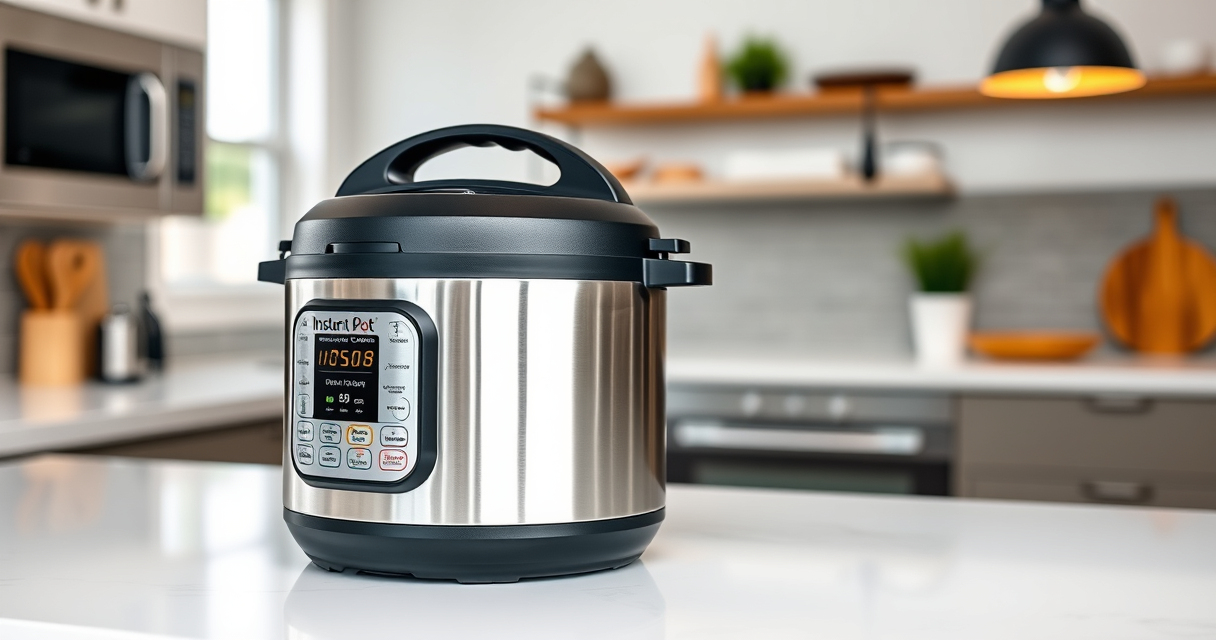

If your Instant Pot displays a burn warning, it can be concerning. This guide explains the common causes of the burn error and provides clear, step-by-step instructions to safely resolve it. Whether you’re new to pressure cooking or experienced, understanding these troubleshooting tips can help you get back to cooking effortlessly.

Get kitchen staples and gadgets delivered free with Prime
- Fast, free delivery on millions of items
- Prime Video, Amazon Music and more included
- Member-only deals all year
Preventing the burn error is key to smooth cooking, and knowing how to fix it when it occurs can save time and frustration. Let’s explore how to diagnose and resolve this common issue effectively.
Key Takeaways
| Causes | Burn errors often happen due to food sticking, insufficient liquid, or overfilling. |
| Prevention | Use enough liquid and avoid overfilling the pot to prevent burn warnings. |
| Immediate steps | Safely release pressure, open the lid, and stir to prevent burning. |
| Fixing the error | Clean the bottom, check sealing, and ensure proper liquid levels before restarting. |
Understanding the Burn Error
The burn error on your Instant Pot signals that the device has detected food or liquid burning at the bottom. This can be caused by insufficient liquid, food sticking, or overfilling the pot.
Step 1: Safely Release Pressure
- Turn off the Instant Pot and unplug it for safety.
- Release pressure using the quick-release method by turning the steam release valve to vent.
- Wait until the float valve drops and all pressure is released before opening the lid.
Step 2: Open and Inspect
- Open the lid carefully and inspect the inner pot and bottom of the cooker for burnt food or residue.
- Check if the food is stuck to the bottom or if there is excess burnt residue.
Step 3: Clean and Prepare
- Remove the inner pot and wash it thoroughly with warm soapy water.
- Use a soft sponge or brush to clean any burnt food from the bottom of the cooker base, avoiding damage to heating elements.
- Ensure the sealing ring and float valve are clean and properly seated.
Step 4: Adjust and Restart
- Add sufficient liquid to prevent burning in future cooking sessions (at least 1 cup of water or broth, depending on the recipe).
- Do not overfill the pot—stay within the maximum fill lines.
- Close the lid, ensure the sealing ring is in place, and reset your cooking program.
The Products in This Guide

Instant Pot 4QT RIO Mini 7-in-1 Multi-Cooker
- ✔ Size: 4QT
- ✔ Functions: 7-in-1
- ✔ Color: Rosewater

AOZITA Steamer Basket
- ✔ Capacity: Dual tier
- ✔ Material: Stainless steel
- ✔ Compatibility: 6 & 8 quart models
Instant Pot 4QT RIO Mini 7-in-1 Multi-Cooker
The Instant Pot 4QT RIO Mini 7-in-1 Multi-Cooker offers versatile cooking functions in a compact size, making it ideal for small households. Its anti-spin design ensures steady stirring and sautéing, while multiple cooking modes simplify meal prep.
Pros:
- 7-in-1 functionality
- Compact and easy to store
- Steady anti-spin design
- Multiple cooking options
Cons:
- Limited 4-quart capacity
- Not suitable for large families
- Learning curve for new users
Best for: Small families, singles, or students needing versatile, space-saving cooking.
Not ideal for: Large families or those needing high-volume cooking.
Bottom line: A versatile, space-saving multi-cooker perfect for small households.
AOZITA Steamer Basket
The AOZITA Steamer Basket adds great functionality to your Instant Pot, allowing you to steam multiple foods simultaneously while keeping them separated. Its durable stainless steel design makes it a versatile accessory.
Pros:
- Two-tier design for multiple foods
- Stainless steel durable construction
- Compatible with 6 and 8-quart models
- Easy to clean
Cons:
- Requires extra space in the pot
- May need careful handling when full
- Not a replacement for internal cooking functions
Best for: Steaming vegetables, seafood, or making layered meals.
Not ideal for: Cooking recipes that require direct contact with the pot’s bottom.
Bottom line: A practical accessory to expand your Instant Pot’s steaming capabilities.
Frequently Asked Questions
Why does my Instant Pot show a burn warning?
The burn warning typically appears when the food sticks to the bottom, there’s insufficient liquid, or the pot is overfilled. Ensuring enough liquid and stirring before sealing can help prevent this.
How can I fix a burn error without damaging my Instant Pot?
Always release pressure safely, clean the bottom of the cooker thoroughly, and add enough liquid before restarting. Avoid scraping or using abrasive tools that could damage the heating element.
Can I continue cooking after the burn error occurs?
Yes, after cleaning and adjusting the ingredients, you can restart the cooking process. Just ensure the issues that caused the burn warning are addressed first.
How do I prevent the burn error in future recipes?
Use sufficient liquid, avoid overfilling, and stir ingredients well before pressure cooking. Also, consider using a steamer basket for layered or delicate foods.
Getting Back to Perfect Meals with Confidence
Understanding the causes of the Instant Pot burn error and following these practical troubleshooting steps can help you resolve issues quickly and safely. With proper use and regular cleaning, your pressure cooker can deliver delicious meals without interruptions. Remember to always prioritize safety and maintenance for the best cooking experience.
Affiliate disclosure: As an Amazon Associate we earn from qualifying purchases. Prices and availability are accurate as of the time of publishing.
Halloween Picks
halloween
As an affiliate, we earn on qualifying purchases.