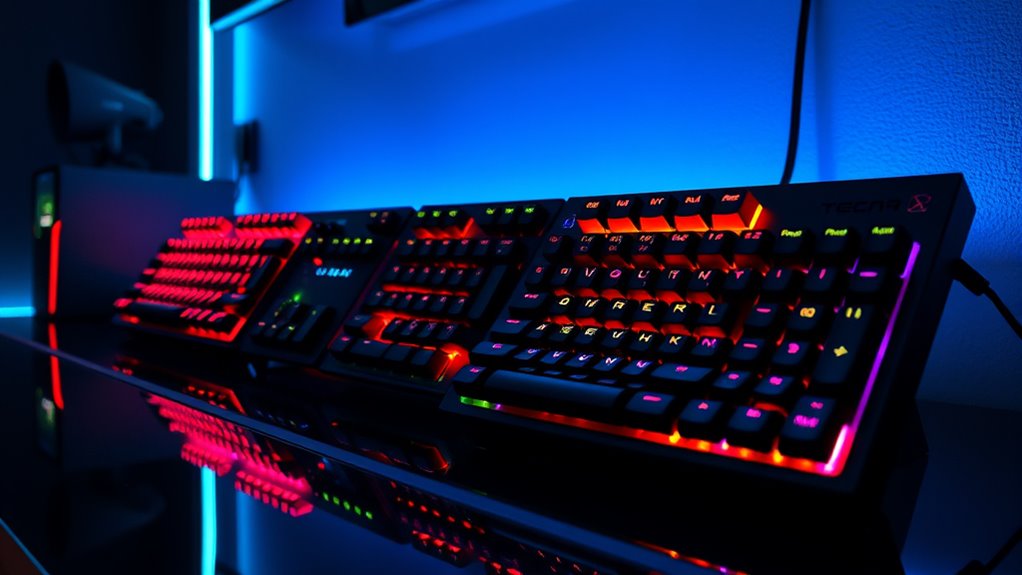

Hot-swappable gaming mechanical keyboards let you replace compatible switches without soldering, making it easier to tune a board or replace a faulty switch. My best overall pick is the AULA F75 Pro, whose 75% layout, wireless connectivity, knob, and switch support make it a flexible all-rounder. The HyperX Alloy Rise is the premium-minded alternative, while the Redragon K617 suits players who want a compact, wired 60% board. The main tradeoffs are layout size, wireless convenience, and how much customization you want to handle yourself. Read on for the full comparison and a guide to choosing the right fit.

Get kitchen staples and gadgets delivered free with Prime
- Fast, free delivery on millions of items
- Prime Video, Amazon Music and more included
- Member-only deals all year
Key Takeaways
- The AULA F75 Pro leads for all-around flexibility: its 75% layout keeps a function row and navigation keys while adding wireless use and a knob.
- Layout shapes the decision more than RGB: the 60% K617 and RK61 save desk space, while the full-size K668 retains a number pad.
- Wireless options are concentrated in the 75% group: the AULA F75 Pro, AOC GK330, and AU75 offer a different setup from the wired compact and TKL picks.
- Hot-swap does not mean every switch will fit: buyers should confirm socket type and switch compatibility before ordering replacements.
- The GMMK 60% barebone is for hands-on builders, not plug-and-play shoppers: its kit format calls for a separate plan for switches and keycaps.
| AULA F75 Pro Wireless Mechanical Keyboard, 75% Hot Swappable RGB Backlit Gaming Keyboard with Knob and PBT Side-Printed Keycaps |  | Best Overall Wireless 75% Pick | Layout: 75%, 81 keys, QWERTZ | Connectivity: Bluetooth 5.0, 2.4GHz wireless, USB-C wired | Switches: Pre-lubricated Reaper switches; hot-swappable 3-pin and 5-pin support | VIEW ON AMAZON | See Our Full Breakdown |
| AOC GK330 75% Wireless Mechanical Gaming Keyboard, Hot-Swappable RGB |  | Best for Long Wireless Sessions | Layout: 75% compact with control knob | Connectivity: USB-C wired, Bluetooth, 2.4GHz wireless | Hot-swap support: Compatible with 3-pin and 5-pin switches | VIEW ON AMAZON | See Our Full Breakdown |
| DIERYA DK81E 75% Mechanical Gaming Keyboard – Hot-Swappable, Wired, White |  | Best for Wired, Cushioned Typing | Layout: 75%, QWERTY | Connectivity: Wired USB-C | Switches: Pre-lubed linear mechanical switches | VIEW ON AMAZON | See Our Full Breakdown |
| Redragon K617 Wired 60% Compact Hot-Swap RGB Gaming Mechanical Keyboard |  | Best Compact Pick | Layout: 60%, 61 keys, QWERTY | Connectivity: Wired USB-C | Switches: Linear Red hot-swappable switches | VIEW ON AMAZON | See Our Full Breakdown |
| RK Royal Kludge R75 Wired Mechanical Gaming Keyboard with Hot‑Swap Brown Switches and Volume Knob |  | Best Tactile Wired 75% Pick | Layout: 75%, 81 keys; AZERTY listed | Connectivity: Wired USB-C | Switches: Tactile Brown, hot-swappable | VIEW ON AMAZON | See Our Full Breakdown |
| Redragon Mechanical Gaming Keyboard Wired, 11 Programmable Backlit Modes, Hot-Swappable Red Switch, Anti-Ghosting, Double-Shot PBT Keycaps, Light Up Keyboard for PC and Mac |  | Best Full-Size Wired Pick | Layout: QWERTY, 104 keys | Connectivity: Wired | Switch type: Linear red | VIEW ON AMAZON | See Our Full Breakdown |
| Razer Reclusa X Mini 65% Hot-Swappable Mechanical Gaming Keyboard |  | Best Compact Gaming Features | Layout: 65%, 66 keys | Connectivity: Corded USB-C | Switch type: Tactile Razer Orange | VIEW ON AMAZON | See Our Full Breakdown |
| Glorious Custom Gaming Keyboard – GMMK 60% Percent Compact Barebone – USB-C Wired Mechanical Keyboard Kit – RGB Hot Swappable Switches & Keycaps – Black Metal Top Plate |  | Best Barebones Customization | Layout: 60%, 61 keys | Connectivity: USB-C wired | Switch compatibility: Linear, tactile, and clicky | VIEW ON AMAZON | See Our Full Breakdown |
| AU75 Wireless RGB Gaming 75% Mechanical Hot-Swappable Keyboard |  | Best Wireless Hot-Swap Pick | Layout: 75%, 81-key QWERTY | Connectivity: Bluetooth 5.0, 2.4 GHz, and USB-C wired | Switch type: Linear, hot-swappable | VIEW ON AMAZON | See Our Full Breakdown |
| RK Royal Kludge RK61 Wired 60% Mechanical Gaming Keyboard, White |  | Best Simple 60% Starter | Layout: 60%, 61 keys | Connectivity: USB-C wired | Switch type: Pre-lubed red linear | VIEW ON AMAZON | See Our Full Breakdown |
| Redragon K552P Mechanical Gaming Keyboard TKL with RGB Backlight, Hot-Swappable Red Switches, 87-Key Compact Design |  | Best Compact TKL Pick | Layout: 87-key TKL, QWERTY | Switch type: Red listed in title and specs; description also mentions blue | Hot-swappable: Yes | VIEW ON AMAZON | See Our Full Breakdown |
| HyperX Alloy Rise – Hot-Swappable Mechanical Gaming Keyboard with Ambient Light Sensor |  | Best Premium Customization Pick | Layout: Full-size QWERTY; 102 keys listed, with button quantity also listed as 104 | Switch type: Pre-lubed HyperX linear switches | Switch lifespan: Rated for up to 80 million keypresses | VIEW ON AMAZON | See Our Full Breakdown |
| Redragon K668 108-Key Hot-Swap Wired RGB Gaming Keyboard, Extra 4 Hotkeys |  | Best Full-Size Shortcut Pick | Layout: 108-key full-size | Switch type: Linear | Hot-swappable: Yes | VIEW ON AMAZON | See Our Full Breakdown |
| gaming mechanical keyboards hotswappable | Layout | Connectivity | Backlighting | Compatibility |
|---|---|---|---|---|
| AULA F75 Pro Wireless Mechanic | 75%, 81 keys, QWERTZ | Bluetooth 5.0, 2.4GHz wireless, USB-C wired | RGB, 16.8 million colors, 16 preset effects, music-rhythm effects | PC, laptops, tablets, smartphones, PS, Xbox |
| AOC GK330 75% Wireless Mechani | 75% compact with control knob | USB-C wired, Bluetooth, 2.4GHz wireless | RGB, 16 preset effects, 15 music-sync modes | — |
| DIERYA DK81E 75% Mechanical Ga | 75%, QWERTY | Wired USB-C | RGB with 16.8 million colors and 15 presets | — |
| Redragon K617 Wired 60% Compac | 60%, 61 keys, QWERTY | Wired USB-C | RGB with 20 preset modes | PC |
| RK Royal Kludge R75 Wired Mech | 75%, 81 keys; AZERTY listed | Wired USB-C | South-facing RGB with 18 modes and 8 monochrome options | — |
| Redragon Mechanical Gaming Key | QWERTY, 104 keys | Wired | RGB, 11 modes | Windows listed |
| Razer Reclusa X Mini 65% Hot-S | 65%, 66 keys | Corded USB-C | RGB | PC |
| Glorious Custom Gaming Keyboar | 60%, 61 keys | USB-C wired | — | Mac, PC, PlayStation, and Xbox |
| AU75 Wireless RGB Gaming 75% M | 75%, 81-key QWERTY | Bluetooth 5.0, 2.4 GHz, and USB-C wired | RGB, 16.8 million colors | PC, Mac, Xbox, PlayStation, and Android tablets |
| RK Royal Kludge RK61 Wired 60% | 60%, 61 keys | USB-C wired | RGB | Windows, Mac, and Linux |
| Redragon K552P Mechanical Gami | 87-key TKL, QWERTY | Wired USB | RGB, 18 modes | PC, laptop, tablet, gaming console; Windows 10 and macOS listed |
| HyperX Alloy Rise | Full-size QWERTY; 102 keys listed, with button quantity also listed as 104 | Wired USB-C | RGB with ambient light sensor | — |
| Redragon K668 108-Key Hot-Swap | 108-key full-size | Wired USB-C | RGB | — |
More Details on Our Top Picks
AULA F75 Pro Wireless Mechanical Keyboard, 75% Hot Swappable RGB Backlit Gaming Keyboard with Knob and PBT Side-Printed Keycaps
The AULA F75 Pro is the most flexible fit here for someone who wants a hot-swappable 75% board without a cable tether. Bluetooth, 2.4GHz, and USB-C cover multi-device use as well as wired play, while its 3-pin and 5-pin switch support leaves room to change the typing feel later. Compared with the wired-only RK Royal Kludge R75, the AULA is easier to move between devices; the tradeoff is that its listed layout is QWERTZ, so buyers expecting QWERTY should check the key arrangement before choosing it.
The multi-function knob and programmable controls add convenience, though they may take some setup, and advanced customization requires driver installation. Its 4000mAh battery and RGB give it a broad feature set, but lighting use affects runtime. I’d choose it for wireless flexibility, not for a plug-and-play setup with no software involvement.
Pros:- Three connection options support wired gaming and wireless use across compatible devices.
- Accepts 3-pin and 5-pin hot-swappable switches, so changing switch feel does not require soldering.
- Compact 75% layout retains essential keys while freeing desk space.
- PBT side-printed keycaps and a multi-function knob add practical customization options.
Cons:- The listed QWERTZ layout may not suit buyers seeking a standard QWERTY arrangement.
- Advanced lighting and key programming require driver installation.
- Battery runtime varies with lighting and use.
Best for: Players and multi-device users who want a compact wireless keyboard with switch-swap flexibility and a control knob.
Not ideal for: Buyers who need a QWERTY layout, avoid installing drivers, or want battery runtime unaffected by RGB settings.
- Layout:75%, 81 keys, QWERTZ
- Connectivity:Bluetooth 5.0, 2.4GHz wireless, USB-C wired
- Switches:Pre-lubricated Reaper switches; hot-swappable 3-pin and 5-pin support
- Battery:4000mAh
- Keycaps:Side-printed PBT, double-injection molding, heat sublimation
- Backlighting:RGB, 16.8 million colors, 16 preset effects, music-rhythm effects
- Controls:Multi-function knob, programmable keys, WIN key lock
- Compatibility:PC, laptops, tablets, smartphones, PS, Xbox
Our verdict“Choose the AULA F75 Pro if you want a hot-swappable 75% keyboard with wireless flexibility and are comfortable checking its QWERTZ layout and using software for advanced controls.”
AOC GK330 75% Wireless Mechanical Gaming Keyboard, Hot-Swappable RGB
The AOC GK330’s clearest advantage is its stated battery endurance: up to 55 hours with backlighting on or 220 hours with it off. That makes it a better fit than the AULA F75 Pro for buyers who want fewer charging interruptions, while both offer Bluetooth, 2.4GHz, USB-C, and 3-pin/5-pin hot-swap support. Its gasket mount and sound-dampening padding also give it a more comfort-focused pitch than the compact, straightforward Redragon K617.
The GK330 keeps the familiar 75% layout and adds a knob, macro programming, and RGB with music-sync modes. Those extras broaden its use, but customization calls for software and may feel like more setup than some players want. It also gives up the full key range of a full-size board, so buyers who rely on a number pad should look elsewhere. I’d put it ahead of other wireless choices when battery claims matter most.
Pros:- Three connection modes let users switch between USB-C, Bluetooth, and 2.4GHz.
- Listed battery life reaches 55 hours with backlighting on and 220 hours with it off.
- Hot-swap support accepts both 3-pin and 5-pin switches.
- Gasket mount and sound-dampening padding target a cushioned, quieter typing feel.
Cons:- Full customization requires software.
- The 75% layout omits a number pad and some keys found on full-size boards.
- Multiple lighting and programming options may add setup complexity for beginners.
Best for: Wireless gamers and work-from-home users who want a 75% hot-swappable board and stated long runtimes between charges.
Not ideal for: Buyers who need a number pad, prefer a simple setup without customization software, or want a wired-only gaming keyboard.
- Layout:75% compact with control knob
- Connectivity:USB-C wired, Bluetooth, 2.4GHz wireless
- Hot-swap support:Compatible with 3-pin and 5-pin switches
- Battery capacity:4000mAh
- Battery life:Up to 55 hours with backlight on; up to 220 hours with backlight off
- Mount and damping:Gasket mount with sound-dampening padding
- Backlighting:RGB, 16 preset effects, 15 music-sync modes
- Keycaps:Doubleshot PBT with side-printed legends
Our verdict“Pick the AOC GK330 if you want wireless 75% gaming with a stated long battery life and are willing to use software for its added controls.”
DIERYA DK81E 75% Mechanical Gaming Keyboard – Hot-Swappable, Wired, White
The DIERYA DK81E is the wired specialist in this group: its gasket mount and six layers of sound-dampening foam prioritize a cushioned, controlled typing feel, while pre-lubed linear switches offer a smooth starting point. Unlike the wireless AULA F75 Pro and AOC GK330, it does not offer Bluetooth or 2.4GHz; in return, its 1000Hz polling rate and USB-C connection suit a fixed gaming setup where a cable is no inconvenience.
Hot-swap support for both 3-pin and 5-pin switches means the stock feel is not permanent, and the dedicated volume knob keeps a frequently used control within reach. RGB and remapping use a browser-based driver, which avoids a conventional desktop app but may not be every buyer’s preferred workflow. Its 75% format is also less compact than the 60% Redragon K617, but preserves more everyday keys. Choose it for wired play and a damped feel, not portability.
Pros:- Six layers of sound-dampening foam and a gasket mount target a cushioned typing experience.
- Hot-swap sockets support 3-pin and 5-pin mechanical switches.
- 1000Hz polling rate and USB-C wired connectivity suit a stationary gaming setup.
- Dedicated volume knob and browser-based key and RGB customization are included.
Cons:- Wired-only connectivity limits portability and multi-device use.
- Browser-based customization may be less convenient for buyers who prefer dedicated software.
- The 75% layout occupies more space than the 60% Redragon K617.
Best for: Desk-based PC gamers who want a wired 75% layout, a cushioned typing feel, and the option to change switches without soldering.
Not ideal for: Players who need wireless connectivity, frequently move their keyboard between devices, or want a 60% footprint.
- Layout:75%, QWERTY
- Connectivity:Wired USB-C
- Switches:Pre-lubed linear mechanical switches
- Hot-swap support:3-pin and 5-pin switches
- Mount and damping:Gasket-mounted with six layers of sound-dampening foam
- Polling rate:1000Hz
- Backlighting:RGB with 16.8 million colors and 15 presets
- Keycaps:Double-shot
Our verdict“Choose the DIERYA DK81E if you want a wired 75% keyboard with a damped feel and switch-swap options, but skip it if wireless use matters.”
Redragon K617 Wired 60% Compact Hot-Swap RGB Gaming Mechanical Keyboard
The Redragon K617 is the space-saving choice for players who want a 60% hot-swappable keyboard and room for wide mouse movements. Its 61-key layout is much smaller than the 75% AULA F75 Pro, AOC GK330, DIERYA DK81E, and RK Royal Kludge R75, but that compactness means relying on function layers for keys the larger boards keep readily available. The K617 is wired over USB-C, so it avoids battery management but cannot match the wireless convenience of the AULA or AOC.
It comes with linear hot-swappable Red switches, RGB effects, and software-based macro and lighting customization. The stated 50-million-keystroke switch rating gives a durability reference, though the overall feature set remains simpler than the gasket-mounted DIERYA and RK boards. With no dedicated media keys, it is best for players who value desk space over direct access to extra controls. I’d skip it for mixed-use typing that depends on a fuller key layout.
Pros:- 61-key 60% footprint leaves more room for mouse movement than the 75% options.
- Hot-swappable linear Red switches allow switch changes without soldering.
- USB-C wired connection avoids battery charging.
- RGB offers 20 preset modes, with software for lighting and macro customization.
Cons:- The 60% layout lacks dedicated media keys and requires function-layer shortcuts for omitted keys.
- Wired-only connectivity does not suit buyers who need wireless use.
- The listed compatibility is PC, with no Mac support specified.
Best for: Competitive PC players with limited desk space who want a small wired board and room to customize switches.
Not ideal for: Users who need dedicated media controls, a number pad, wireless connectivity, or a fuller layout for frequent typing.
- Layout:60%, 61 keys, QWERTY
- Connectivity:Wired USB-C
- Switches:Linear Red hot-swappable switches
- Backlighting:RGB with 20 preset modes
- Dimensions:12.2 × 5.31 × 1.57 inches
- Weight:9.6 ounces
- Compatibility:PC
Our verdict“Choose the Redragon K617 if desk space and mouse room matter more than dedicated keys or wireless convenience.”
RK Royal Kludge R75 Wired Mechanical Gaming Keyboard with Hot‑Swap Brown Switches and Volume Knob
The RK Royal Kludge R75 is the tactile option for buyers who want a wired 75% hot-swap keyboard with a built-in volume control. Its hot-swappable Brown switches provide a tactile starting point, and the sockets accept 3-pin and 5-pin switches, so owners can change feel without soldering. Compared with the DIERYA DK81E, it also uses a gasket mount and multiple foam layers, but the R75’s listed AZERTY layout is a major distinction: buyers accustomed to QWERTY should verify that arrangement before choosing it.
A CNC-aluminum knob, south-facing RGB, full anti-ghosting, and a detachable USB-C cable round out a desk-focused setup. Unlike the wireless AULA F75 Pro, there is no Bluetooth or 2.4GHz option, so this board is less adaptable across devices. The build is also specified at 800g, not a lightweight travel pick. I’d favor it over the compact K617 when tactile switches and a fuller 75% layout matter more than portability.
Pros:- Hot-swap sockets support 3-pin and 5-pin switches.
- Gasket mount with multiple foam layers is designed to reduce vibration and soften the typing feel.
- CNC-aluminum volume knob provides dedicated audio control.
- Full anti-ghosting and detachable USB-C cable suit a wired gaming setup.
Cons:- AZERTY is the listed layout and may not suit QWERTY users.
- Wired-only connectivity limits use away from a fixed desk.
- At 800g, it is less suited to frequent travel than lighter compact options.
Best for: Desk-based gamers who prefer tactile Brown switches, want a 75% layout and volume knob, and use an AZERTY arrangement.
Not ideal for: QWERTY users who do not want to adjust, wireless gamers, or buyers seeking a lightweight board for frequent travel.
- Layout:75%, 81 keys; AZERTY listed
- Connectivity:Wired USB-C
- Switches:Tactile Brown, hot-swappable
- Hot-swap compatibility:3-pin and 5-pin switches
- Mount and damping:Gasket mount with Poron cotton, IXPE foam, and sponge case foam
- Backlighting:South-facing RGB with 18 modes and 8 monochrome options
- Weight:800g
- Controls:CNC-aluminum volume knob; full anti-ghosting
Our verdict“Pick the RK Royal Kludge R75 if you want tactile, hot-swappable 75% gaming in a wired setup and its AZERTY layout matches your typing needs.”
Redragon Mechanical Gaming Keyboard Wired, 11 Programmable Backlit Modes, Hot-Swappable Red Switch, Anti-Ghosting, Double-Shot PBT Keycaps, Light Up Keyboard for PC and Mac
I’d choose this Redragon when a full 104-key layout matters as much as switch swapping. Its linear red switches, anti-ghosting, and macro editing suit players who want a familiar keyboard for gaming and everyday typing, while the double-shot PBT keycaps are a sturdier touch than the ABS caps on the Razer Reclusa X Mini. The tradeoff is desk space: unlike the Razer’s 65% layout or the GMMK’s 60% footprint, this model keeps the number pad and a more traditional arrangement. Its lighting offers 11 preset modes, but the listed data says colors cannot be changed beyond those presets. It is wired only, and software setup may take patience, so I’d skip it if wireless play or fine-grained lighting control is a priority.
Pros:- Full-size 104-key layout includes a number pad
- Hot-swappable linear red switches allow switch changes without soldering
- Double-shot PBT keycaps offer a durable typing surface
- Anti-ghosting, macro editing, and multimedia shortcuts support gaming and daily use
Cons:- Wired connectivity only
- Backlight colors are limited to preset modes
- Software setup may feel complex
Best for: PC players who want a number pad, hot-swappable linear switches, and a wired board for gaming and general typing.
Not ideal for: Desk-space-conscious gamers or buyers who want wireless connectivity and freely configurable per-key lighting.
- Layout:QWERTY, 104 keys
- Connectivity:Wired
- Switch type:Linear red
- Hot-swappable:Yes
- Backlighting:RGB, 11 modes
- Keycaps:Double-shot PBT
- Compatibility:Windows listed
- Water resistance:Water resistant
Our verdict“Choose this Redragon if you want hot-swap flexibility in a traditional full-size wired keyboard and can accept preset lighting.”
Razer Reclusa X Mini 65% Hot-Swappable Mechanical Gaming Keyboard
The Razer Reclusa X Mini is the pick here for players who want a compact layout without giving up dedicated arrow keys: its 65% form factor sits between the 60% GMMK and the fuller Redragon. The tactile Razer Orange switches and gaming input features, including Snap Tap and dual-keypress priority, give it a more gaming-focused brief than the modular GMMK, whose appeal centers on switch and layout customization. Its hot-swap support also leaves room to change the feel later. The compact footprint means more mouse room, but buyers give up many dedicated keys, and the supplied information is PC-focused with no wireless option. ABS keycaps are another tradeoff beside the Redragon’s PBT set; this is a better fit for feature-led compact play than for materials-first buyers.
Pros:- 65% layout saves desk space while retaining a compact gaming layout
- Hot-swappable tactile switches support later feel changes
- Snap Tap and dual-keypress priority add gaming-specific input options
- RGB lighting and dampening features support a customizable setup
Cons:- PC-only compatibility is listed
- Corded USB-C connection with no wireless mode
- ABS keycaps are less premium than the Redragon’s PBT keycaps
Best for: PC gamers who want a compact board with arrow keys, tactile switches, hot-swap support, and specialized gaming input features.
Not ideal for: Players who need wireless use, broad operating-system compatibility, a full function row, or PBT keycaps.
- Layout:65%, 66 keys
- Connectivity:Corded USB-C
- Switch type:Tactile Razer Orange
- Hot-swappable:Yes
- Keycaps:ABS
- Backlighting:RGB
- Compatibility:PC
- Dimensions:12.24 × 4.02 × 1.47 inches
Our verdict“Pick the Reclusa X Mini for compact PC gaming with tactile hot-swap switches and specialized input features, not for wireless flexibility.”
Glorious Custom Gaming Keyboard – GMMK 60% Percent Compact Barebone – USB-C Wired Mechanical Keyboard Kit – RGB Hot Swappable Switches & Keycaps – Black Metal Top Plate
The GMMK 60% is the most hands-on option in this group: its barebones format lets buyers choose their own switches and keycaps rather than settle for the Redragon’s included linear switches or the RK61’s pre-lubed red setup. Hot-swap support across linear, tactile, and clicky switch types makes experimentation accessible without soldering, while the aluminum top plate gives this small board a sturdier feel than its ABS bottom suggests. At 61 keys, it uses even less desk space than the Razer Reclusa X Mini, but that compactness means relying on layers for functions that larger boards place on dedicated keys. Check switch pin compatibility before buying: the listed specs say 5-pin switches need modification. It is also not water resistant, so it suits careful desk setups better than spill-prone ones.
Pros:- Barebones design gives buyers control over switch and keycap selection
- Hot-swap support accommodates linear, tactile, and clicky switch types
- Aluminum top plate adds a sturdier construction element
- Compact 60% footprint and RGB lighting suit small, customized setups
Cons:- Barebones format requires separate switch and keycap choices
- 5-pin switches require modification according to the listed specs
- Not water resistant
Best for: Keyboard enthusiasts who want to select their own switches and keycaps for a compact wired gaming build.
Not ideal for: Buyers seeking a ready-to-use complete keyboard, dedicated function keys, or straightforward support for 5-pin switches.
- Layout:60%, 61 keys
- Connectivity:USB-C wired
- Switch compatibility:Linear, tactile, and clicky
- Hot-swappable:Yes
- Top plate:Aluminum
- Bottom material:ABS plastic
- Compatibility:Mac, PC, PlayStation, and Xbox
- Water resistance:Not water resistant
- Warranty:1 year
Our verdict“Choose the GMMK if building a personalized 60% keyboard matters more than getting a complete, ready-to-use board.”
AU75 Wireless RGB Gaming 75% Mechanical Hot-Swappable Keyboard
The AU75 is the clear choice in this batch for players who want to switch between wireless and wired setups: it offers Bluetooth, 2.4 GHz, and USB-C, while the Redragon and GMMK are wired only. Its 75% layout keeps more navigation keys than the 60% RK61, making it less dependent on key layers for everyday use. The hot-swappable 3/5-pin linear switches and pre-lubed stabilizers add customization and a smoother-feeling foundation, while PBT keycaps are a stronger materials choice than the Razer’s ABS caps. The compromises are practical: a 4000 mAh battery and large metal knob add weight, and the listed features do not include dedicated macro keys. I’d favor it for flexible multi-device play, but not for a lightweight setup or shortcut-heavy gaming.
Pros:- Tri-mode connectivity supports Bluetooth, 2.4 GHz, and USB-C wired use
- Hot-swap sockets support 3-pin and 5-pin linear switches
- 75% layout retains more navigation keys than 60% options
- PBT keycaps, pre-lubed stabilizers, and RGB lighting add useful customization
Cons:- Battery and large metal knob add weight
- No dedicated macro keys are listed
- Linear switches may not suit buyers who prefer tactile or clicky feedback
Best for: Players who want one hot-swappable keyboard for wireless gaming and typing across PC, Mac, consoles, and tablets.
Not ideal for: Buyers prioritizing a lightweight board, dedicated macro keys, or the simplest compact wired setup.
- Layout:75%, 81-key QWERTY
- Connectivity:Bluetooth 5.0, 2.4 GHz, and USB-C wired
- Switch type:Linear, hot-swappable
- Switch compatibility:3-pin and 5-pin
- Battery capacity:4000 mAh
- Keycaps:PBT
- Backlighting:RGB, 16.8 million colors
- Compatibility:PC, Mac, Xbox, PlayStation, and Android tablets
Our verdict“Pick the AU75 if wireless flexibility and a fuller compact layout matter more than low weight or dedicated macro controls.”
RK Royal Kludge RK61 Wired 60% Mechanical Gaming Keyboard, White
The RK61 is a straightforward entry into hot-swappable 60% gaming: its 61-key layout frees desk space, while pre-lubed red linear switches provide a ready-to-use setup unlike the barebones GMMK. That makes it a more direct choice for someone who wants a compact keyboard now and the option to change switches later. Compared with the AU75, it gives up wireless modes and navigation keys, but keeps the connection simple with USB-C wired operation. RGB lighting and support for Windows, Mac, and Linux broaden its appeal beyond a single gaming PC. The small layout is the central compromise: there are no dedicated function keys, and the limited key count can slow workflows that depend on frequent shortcuts. Its ABS construction also lacks the PBT keycap upgrade found on the Redragon and AU75.
Pros:- Compact 61-key layout leaves more room for mouse movement
- Hot-swappable switches make later customization possible
- Pre-lubed red linear switches provide a ready-to-use starting point
- USB-C connection and Windows, Mac, and Linux compatibility
Cons:- No dedicated function keys due to the 60% layout
- Limited key count can hinder shortcut-heavy workflows
- ABS construction and keycaps lack the PBT materials of some alternatives
Best for: First-time 60% keyboard buyers who want preinstalled linear switches, hot-swap flexibility, and wired use across common desktop systems.
Not ideal for: Players who need dedicated function or navigation keys, wireless connectivity, or PBT keycaps.
- Layout:60%, 61 keys
- Connectivity:USB-C wired
- Switch type:Pre-lubed red linear
- Hot-swappable:Yes
- Backlighting:RGB
- Compatibility:Windows, Mac, and Linux
- Material:ABS plastic with recycled content
- Dimensions:11.5 × 4 × 1.6 inches
- Weight:0.56 kg
Our verdict“Choose the RK61 for an uncomplicated wired 60% setup with hot-swap potential, provided you are comfortable using key layers.”
Redragon K552P Mechanical Gaming Keyboard TKL with RGB Backlight, Hot-Swappable Red Switches, 87-Key Compact Design
The K552P suits players who want a tenkeyless layout without giving up arrow keys or the function row. Its 87-key footprint leaves more room for mouse movement than the full-size Redragon K668, while its hot-swappable switches let owners change the typing feel without replacing the whole keyboard. The metal enclosure and spill-resistant design add practical durability, and 18 RGB modes offer plenty of lighting choices. There is a product-detail mismatch to note: the title and switch spec say red switches, while the description mentions blue switches, so I would verify the included switch type before buying. Either way, this wired model is less flexible than wireless 75% alternatives such as the AULA F75 Pro, and its macro features rely on software.
Pros:- 87-key TKL layout keeps arrow keys and the function row while reducing desk width.
- Hot-swappable switches support later changes to the keyboard’s feel.
- Aluminum enclosure and water-resistant construction suit regular gaming use.
- 18 RGB lighting modes provide several onboard visual options.
Cons:- Product information conflicts on whether the included switches are red or blue.
- Wired USB connectivity lacks the placement flexibility of wireless options such as the AULA F75 Pro.
- Full macro customization requires software, with limited Mac support.
Best for: PC gamers who want a wired, compact keyboard with arrow keys, a function row, and room to experiment with switch replacements.
Not ideal for: Quiet-room or shared-space users who are sensitive to switch noise, and Mac users who need broad software support.
- Layout:87-key TKL, QWERTY
- Switch type:Red listed in title and specs; description also mentions blue
- Hot-swappable:Yes
- Backlighting:RGB, 18 modes
- Connectivity:Wired USB
- Enclosure:Aluminum
- Dimensions:13.94 × 4.86 × 1.46 inches
- Compatibility:PC, laptop, tablet, gaming console; Windows 10 and macOS listed
Our verdict“Choose the K552P if you want a durable, space-saving wired TKL with hot-swap flexibility, but confirm the switch type before ordering.”
HyperX Alloy Rise – Hot-Swappable Mechanical Gaming Keyboard with Ambient Light Sensor
The Alloy Rise is the most customization-focused option in this group, pairing hot-swappable linear switches with magnetic top plates and an ambient light sensor that adjusts RGB output to the room. Its gasket-mounted construction is aimed at a softer, more comfortable typing feel, while the volume roller makes quick audio changes easier during play. Compared with the more compact Redragon K552P, the HyperX gives you a number pad and a fuller control layout, but it takes up more desk space and is listed as Windows-compatible. The K668 also offers a full-size layout and shortcut keys, yet the Alloy Rise leans further into physical customization and lighting control. That range of options may feel like extra setup work, and full personalization depends on software.
Pros:- Hot-swappable linear switches make it easier to change the board’s feel over time.
- Magnetic top plates allow physical appearance changes without replacing the keyboard.
- Ambient light sensing adjusts RGB brightness to surrounding conditions.
- Gasket-mounted design and volume roller add comfort and convenient media control.
Cons:- Its 17.9-inch length takes more desk space than the TKL Redragon K552P.
- Listed operating-system compatibility is limited to Windows.
- Full personalization requires software and may take time to set up.
Best for: Windows gamers and keyboard enthusiasts who want a full-size board with replaceable switches, adjustable lighting, and a more customizable exterior.
Not ideal for: Mac users, beginners who want simple plug-and-play setup, and players with limited desk space.
- Layout:Full-size QWERTY; 102 keys listed, with button quantity also listed as 104
- Switch type:Pre-lubed HyperX linear switches
- Switch lifespan:Rated for up to 80 million keypresses
- Hot-swappable:Yes
- Backlighting:RGB with ambient light sensor
- Connectivity:Wired USB-C
- Enclosure:Aluminum
- Dimensions:17.9 × 5.6 × 1.9 inches
Our verdict“Pick the Alloy Rise if customization and a full-size layout matter more to you than a compact footprint or straightforward setup.”
Redragon K668 108-Key Hot-Swap Wired RGB Gaming Keyboard, Extra 4 Hotkeys
The K668 is for players who want a full-size layout plus dedicated shortcuts, rather than a compact board that makes them rely on key combinations. Its four extra hotkeys cover mute, calculator, and desktop functions, and the included two keycap sets give buyers an easy way to change the look. Compared with the HyperX Alloy Rise, the K668 adds those task shortcuts and a stated 108-key layout, while the HyperX offers an ambient light sensor and magnetic top plates for deeper physical personalization. The K668’s hot-swappable switches make it a flexible starting point, but this is a wired USB-C board with no wireless option. Its water resistance is limited, and fuller lighting and macro customization require software.
Pros:- 108-key layout keeps a full set of keys and adds four dedicated shortcut keys.
- Hot-swappable switches allow switch changes without replacing the keyboard.
- Two included keycap sets provide built-in appearance options.
- USB-C connectivity and adjustable ergonomic feet support a practical desktop setup.
Cons:- Wired-only connectivity offers less placement flexibility than wireless 75% options such as the AULA F75 Pro.
- Water resistance is limited, so it is not a strong choice around frequent spills.
- Full lighting and macro customization requires software.
Best for: PC and laptop gamers who want a full-size wired keyboard, dedicated everyday shortcuts, and included keycap choices.
Not ideal for: Wireless-first players, users who need substantial spill protection, and buyers who want advanced customization without software.
- Layout:108-key full-size
- Switch type:Linear
- Hot-swappable:Yes
- Backlighting:RGB
- Connectivity:Wired USB-C
- Additional keys:Four dedicated shortcut keys
- Included keycaps:Two sets
- Weight:880 g
- Warranty:1 year
Our verdict“Choose the K668 if you want a full-size hot-swap board with useful shortcuts and extra keycaps, and do not need wireless connectivity.”

How We Picked
I compared these boards against the needs behind the search: gaming responsiveness, useful hot-swap support, layout, connection type, ease of setup, and the scope for later changes. I also weighed practical details such as whether a layout keeps dedicated navigation keys, whether a model is wired or wireless, and whether it arrives as a ready-to-use keyboard or a barebone kit.
The ranking favors useful balance over a long feature list. The AULA F75 Pro comes first for combining a familiar 75% layout with wireless flexibility and a knob. Specialized boards rank below it when they trade away keys, connectivity, or out-of-box simplicity for a narrower goal. Since product names alone do not confirm socket standards or every compatibility detail, buyers should check the manufacturer’s specifications before purchasing switches.
Factors to Consider When Choosing Gaming Mechanical Keyboards Hotswappable
Hot-swap support is only one part of choosing a gaming keyboard. I’d start with the way you play and use your computer day to day, then match the board’s layout, connection, and upgrade requirements to that routine.
Choose a layout around the keys you actually use
A compact board frees mouse space, which can appeal to players using broad mouse movements, but smaller layouts often move arrows and navigation functions behind key combinations. A 60% board can feel tidy on a gaming desk and less convenient for spreadsheets or frequent text editing. TKL keeps a dedicated function row and navigation cluster but drops the number pad. A 75% layout is a useful middle ground for many mixed-use setups, while full-size boards suit buyers who regularly enter numbers. Before choosing compact, check whether your games and work depend on keys the layout omits.
Check switch-socket compatibility before planning upgrades
Hot-swappable describes how switches attach, not a promise that every switch will work. Boards can use different socket types, pin counts, and supported switch families, so confirm the keyboard’s documentation before buying replacements. A switch that does not match may need pin adjustment or may not fit at all. Also check whether the board supports both the switch format and the feel you want, such as linear, tactile, or clicky. If you are new to upgrades, start with a small compatible set rather than replacing every switch at once.
Decide whether wireless is worth the added setup choices
Wireless can reduce cable clutter and makes it easier to move a board between devices, but it also adds battery and connection decisions. Check which wireless modes a particular keyboard supports; the word wireless alone does not identify whether it uses Bluetooth, a 2.4 GHz receiver, or both. For gaming, buyers often prefer a direct wired connection or a low-latency wireless mode, and should verify that the model offers the connection they expect. Wired boards avoid charging and receiver management, which can be a better fit for a fixed desktop. Match the connection to your setup instead of treating wireless as an automatic upgrade.
Treat a barebone kit as a build project
A barebone keyboard can give you more control over switches and keycaps, but it may not be ready to type on straight out of the box. Confirm exactly which parts are included, then add the cost and effort of any missing components to your decision. Check that your selected keycap set matches the layout and that the switches suit the socket. A ready-to-use hot-swap board is simpler if you want to game immediately and customize later. Choose a kit when choosing parts is part of the appeal, not just because it says hot-swappable.
Prioritize useful controls over lighting modes
RGB can help personalize a setup, but lighting effects do not tell you how comfortable a keyboard will be during long sessions. A volume knob, dedicated keys, or a layout that keeps arrows accessible may matter more each day. Check whether the controls you want are built into the board or require key combinations or software. Backlighting is also most useful when its brightness and settings suit your room, rather than simply offering many patterns. Compare everyday control and layout first, then treat lighting as a preference.
Think about maintenance and the whole upgrade path
One advantage of hot-swap sockets is that a faulty compatible switch can be replaced without soldering, but the process still requires care and the right puller. Keep the keyboard’s compatibility information and, if included, spare switches and tools where you can find them. Switches are only one part of the typing feel; keycaps, stabilizers, case construction, and desk setup also play a role. Avoid assuming that swapping switches will fix every sound or comfort issue. If you plan to customize, choose a board with a clear parts path rather than buying components before checking fit.
Frequently Asked Questions
Can I replace the switches on any hot-swappable keyboard with any switch?
No. Hot-swap sockets support particular switch formats, and compatibility can depend on pin count, socket design, and the board’s specification. Check the keyboard maker’s documentation before ordering switches rather than relying on a product title alone. Also confirm whether the replacement switch matches the feel and sound you want. If compatibility details are unclear, ask the manufacturer before buying parts.
Is a 60% keyboard too small for gaming and everyday work?
It depends on how often you use dedicated arrows, function keys, and navigation keys. Many 60% boards access missing functions through key combinations, which can work well for gaming but add friction to regular editing or office tasks. If you switch between games and general computer use, a 75% or TKL layout keeps more dedicated keys without taking up a full-size footprint. Compare the keys you rely on with the keyboard’s layout diagram before choosing the smallest option.
Should I choose a wired or wireless hot-swappable keyboard for competitive play?
A wired board avoids battery upkeep and makes the connection straightforward. A wireless board can still suit gaming, but check which wireless modes it supports and whether the manufacturer specifies a low-latency gaming connection. Do not assume every wireless mode performs the same way. If the keyboard will stay in one place and you want fewer setup variables, wired is the simpler choice; if cable freedom matters, verify the exact connection options first.
Is a barebone hot-swap keyboard a good first mechanical keyboard?
It can be a good starting point for someone who wants to choose switches and keycaps, but it may require buying those parts separately. That means checking compatibility, assembling the board, and allowing time to troubleshoot fit. A complete keyboard is a simpler first purchase if you want to plug in and play before learning about switch options. Compare the included parts list with what you already own before committing to a kit.
What should I check before replacing a switch that is not working?
First, confirm that the keyboard is unplugged or powered off and that the replacement switch matches its socket. Use the correct puller and remove the keycap and switch carefully; forcing a switch can damage the socket or bend pins. Check the replacement switch’s pins before insertion, then test the key after reseating it. If the key still fails, the issue may be with the socket, board, or software rather than the switch alone.
Conclusion
For the best overall balance, choose the AULA F75 Pro: its 75% layout and wireless feature set make it the broadest fit in this group. For value-focused buyers, compare the wired Redragon K552P TKL and DIERYA DK81E around the layout and connection you prefer; the listed features make each a straightforward alternative to the more feature-rich wireless picks. For a premium-oriented choice, look at the HyperX Alloy Rise, particularly if its ambient light sensor appeals to you. For beginners, a complete 75% option such as the AULA F75 Pro or RK Royal Kludge R75 avoids the extra parts decisions of a barebone kit. For specific needs, pick the Redragon K617 or RK61 for a 60% footprint, the K668 for a number pad, or the Glorious GMMK 60% barebone if building around your own switches and keycaps is the point. Before ordering replacement switches, verify socket compatibility for the exact model.