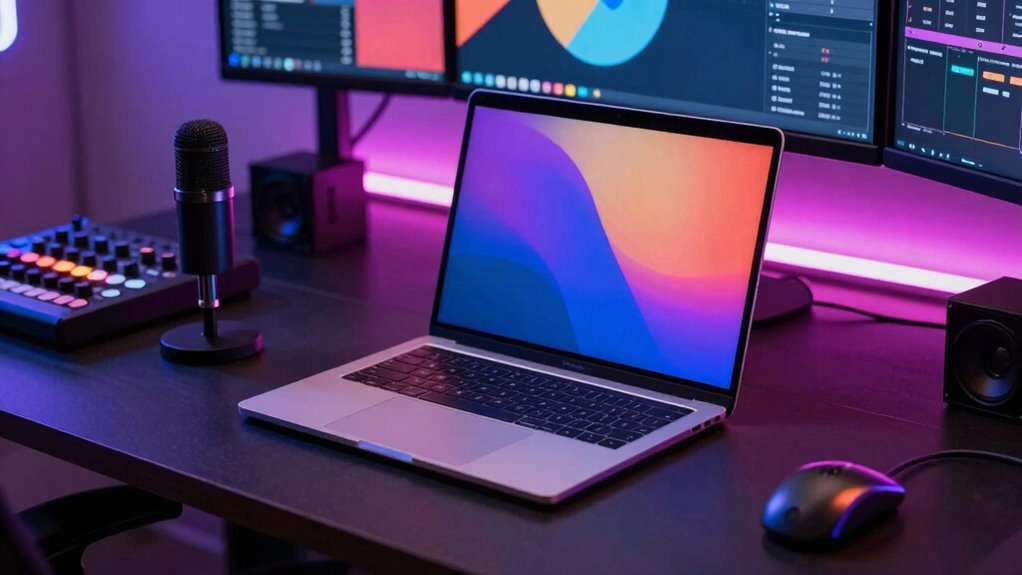

For live streaming and content creation, I rank the 16-inch MacBook Pro with M5 Pro, 48GB memory, and 2TB SSD as the best overall balance of screen space, multitasking headroom, and storage. The 14-inch M5 MacBook Pro with 32GB memory is a more portable choice for creators who work on the go, while an M5 Max model with 128GB memory suits demanding editing and graphics workloads. The main tradeoffs are portability versus workspace, memory and GPU capacity versus sensible headroom, and built-in storage versus external drives. This roundup compares all 13 configurations by how well their specifications fit real streaming and production workflows. Read on for the full breakdown and help matching a MacBook Pro to your setup.

Get kitchen staples and gadgets delivered free with Prime
- Fast, free delivery on millions of items
- Prime Video, Amazon Music and more included
- Member-only deals all year
Key Takeaways
The 16-inch M5 Pro with 48GB memory and 2TB SSD is the strongest all-round fit here: it pairs a larger editing workspace with ample multitasking memory without stepping up to an M5 Max configuration.
The 14-inch M5 with 32GB memory stands apart as the portable pick; it offers more memory headroom than the listed 16GB M5 version while keeping the smaller display and travel-friendly footprint.
M5 Max models with 128GB memory are aimed at heavy production workloads, but many streamers and editors are unlikely to benefit enough to justify prioritizing them over a well-configured M5 Pro.
Repeated M5 Max configurations differ mainly by screen size, storage, and finish. The 4TB version offers more room for local projects, while the 14-inch options prioritize mobility over a larger built-in workspace.
The renewed 2021 M1 Pro model is the older-generation outlier. Its 32GB memory can still suit lighter work, but its 512GB SSD and older chip make it a less flexible choice for long-term, storage-heavy creator use.






| macbook pro for live streaming and content creation | Display | Memory | Storage | Processor |
|---|---|---|---|---|
| Apple MacBook Pro 16-inch Lapt | 16.2-inch Liquid Retina XDR | 48GB unified memory | 2TB SSD | M5 Pro or M5 Max (listing description) |
| Apple MacBook Pro Laptop with | 16.2-inch Liquid Retina XDR | 64GB unified memory | 2TB SSD | — |
| Apple MacBook Pro 16.2-inch La | 16.2-inch Liquid Retina XDR; 1600 nits peak, 1000 nits sustained | 128GB unified memory | 4TB SSD | — |
| Apple MacBook Pro 16.2-inch La | 16.2-inch Liquid Retina XDR, 1600 nits peak brightness | 128GB unified memory | 2TB SSD | Apple M5 Max, 18-core CPU, 40-core GPU |
| Apple 16-inch MacBook Pro | 16.2-inch Liquid Retina XDR | 128GB unified memory | 2TB SSD | Apple M5 Max |
| Apple 16-inch MacBook Pro | 16.2-inch Liquid Retina XDR, up to 1600 nits peak brightness | 48GB unified memory | 2TB SSD | Apple M5 Pro, 18-core CPU and 20-core GPU |
| Apple 2026 MacBook Pro Laptop | 14.2-inch Liquid Retina XDR | 32GB unified memory | 1TB SSD | Apple M5, 10-core CPU and GPU |
| Apple 2025 MacBook Pro Laptop | 14.2-inch Liquid Retina XDR | 16GB unified memory | 1TB SSD | Apple M5, 10-core CPU and GPU |
| Apple MacBook Pro with M5 Max | 14.2-inch Liquid Retina XDR, up to 1600 nits peak brightness | 128GB | 2TB SSD | Apple M5 Max, 18-core CPU and 40-core GPU |
| Apple MacBook Pro Laptop with | 16.2-inch Liquid Retina XDR | 128GB | 2TB SSD | Apple M5 Max, 18-core CPU and 40-core GPU |
| Apple MacBook Pro Laptop with | — | — | — | — |
| MacBook Pro 16-inch | — | — | — | — |
| Apple 2026 MacBook Pro 16.2-in | — | — | — | — |
More Details on Our Top Picks
Apple MacBook Pro 16-inch Laptop with M5 Pro, 48GB RAM, 2TB SSD, Space Black
I’d put this 16-inch configuration first for creators who need a capable streaming and editing machine without stepping up to an M5 Max. Its M5 Pro chip, 48GB unified memory, and 2TB SSD leave room for streaming software, editing tools, and active project files, while the large Liquid Retina XDR screen gives you space to monitor a timeline alongside a live production. HDMI, SDXC, and three Thunderbolt 5 ports make connecting cameras, cards, and displays more straightforward than on a laptop that depends on adapters. Compared with the M5 Max models here, it gives up GPU headroom and memory capacity, but that extra power may be unnecessary for a typical single-stream setup. The tradeoff is a large, heavy chassis and limited ability to upgrade after purchase; also, the listing describes the chip as M5 Pro or M5 Max, so confirm the exact configuration before buying.
Pros:- 48GB unified memory supports streaming alongside editing and other demanding apps
- 2TB SSD provides room for recordings and active creative projects
- HDMI, SDXC, and three Thunderbolt 5 ports simplify connecting production gear
- 16.2-inch Liquid Retina XDR display offers a roomy workspace for monitoring and editing
Cons:- Large and heavy for creators who move between locations often
- Memory and storage cannot be upgraded after purchase
- Product description lists M5 Pro or M5 Max, leaving the exact chip configuration unclear
Best for: Live creators and video editors who want a spacious 16-inch screen, generous memory, and built-in production connections without choosing the M5 Max tier.
Not ideal for: Frequent travelers seeking a lighter laptop, or GPU-heavy creators who need the M5 Max configuration and its higher performance ceiling.
- Processor:M5 Pro or M5 Max (listing description)
- Display:16.2-inch Liquid Retina XDR
- Memory:48GB unified memory
- Storage:2TB SSD
- Ports:Three Thunderbolt 5, MagSafe 3, SDXC, HDMI, headphone jack
- Wireless:Wi-Fi 7, Bluetooth 6
- Color:Space Black
- Battery life:All-day (as described by the product listing)
Our verdict“Choose this model for a well-equipped 16-inch streaming and editing setup, provided you verify which chip configuration the listing supplies.”
Apple MacBook Pro Laptop with M5 Max, 16.2-inch Display, 64GB Memory, 2TB SSD, Space Black
For creators whose streams are only one part of a demanding workflow, this M5 Max model offers a more substantial performance reserve than the M5 Pro 48GB configuration. The listed 18-core CPU and 40-core GPU pair with 64GB of unified memory to suit complex edits, graphics work, and multiple creative apps running around a broadcast. Its 2TB SSD also gives local projects and captured footage useful breathing room. The 16.2-inch XDR display is a practical advantage when editing and monitoring at the same time, and HDMI plus SDXC reduce reliance on dongles for common video gear. Compared with the 128GB M5 Max models in this roundup, this version has less memory for unusually large workloads, but it may be a better fit for creators who do not need that capacity. Expect a substantial, less portable laptop, and the listing’s general note about limited ports conflicts with its detailed port list.
Pros:- M5 Max with 18-core CPU and 40-core GPU targets demanding creative workloads
- 64GB unified memory supports a busy stream-and-edit workflow
- 2TB SSD provides substantial internal project storage
- HDMI, SDXC, and Thunderbolt 5 support a range of production connections
Cons:- Less memory than the 128GB M5 Max configurations in this roundup
- 16-inch chassis is bulky for travel and mobile production
- High-end hardware may exceed the needs of creators focused on straightforward streaming
Best for: Video creators who stream while editing high-resolution footage, working with graphics, or keeping several demanding production apps open.
Not ideal for: Creators with exceptionally memory-intensive projects who would benefit from 128GB, and mobile streamers who prioritize a smaller, lighter system.
- Chip:Apple M5 Max
- CPU:18-core
- GPU:40-core
- Display:16.2-inch Liquid Retina XDR
- Memory:64GB unified memory
- Storage:2TB SSD
- Ports:Three Thunderbolt 5, MagSafe 3, SDXC, HDMI, headphone jack
- Wireless:Wi-Fi 7, Bluetooth 6
Our verdict“Pick this M5 Max configuration when GPU-heavy editing matters alongside streaming but 128GB of memory would be unnecessary.”
Apple MacBook Pro 16.2-inch Laptop with M5 Max, 18-core CPU, 40-core GPU, 128GB Unified Memory, 4TB SSD, Space Black
This is the lineup’s most storage-rich option, pairing 128GB unified memory with a 4TB SSD for creators who keep large libraries and active projects on the laptop. That capacity can be useful when recording streams, editing substantial video projects, and running other production tools without constantly moving files to external storage. The M5 Max 18-core CPU and 40-core GPU place it above the M5 Pro 48GB model for resource-intensive work, while its 16.2-inch XDR display, 12MP Center Stage camera, and studio-quality microphones make it well equipped for on-camera production and review. Compared with the 128GB M5 Max model with a 2TB SSD, the key distinction is doubled listed storage—not a different chip tier. Its considerable capacity brings a narrower audience: most streamers may not need it, and the product description gives no battery-life runtime figure beyond “all-day.”
Pros:- 128GB unified memory accommodates demanding multitasking and large creative projects
- 4TB SSD offers the largest listed internal storage capacity in this group
- M5 Max combines an 18-core CPU and 40-core GPU for heavy creative work
- 12MP Center Stage camera and three studio-quality microphones support direct-to-camera production
Cons:- High-capacity configuration may be excessive for routine streaming and light editing
- Large 16.2-inch design is less convenient for mobile production
- The listing describes battery life as all-day without giving a runtime figure
Best for: Professional video creators and streamers with large local footage libraries, complex edits, or multiple demanding apps that benefit from 128GB of memory.
Not ideal for: Streamers working on simpler productions or relying on external storage who would not make use of the 4TB SSD and 128GB memory.
- Chip:M5 Max
- CPU:18-core
- GPU:40-core
- Display:16.2-inch Liquid Retina XDR; 1600 nits peak, 1000 nits sustained
- Memory:128GB unified memory
- Storage:4TB SSD
- Camera:12MP Center Stage
- Audio:Six speakers with Spatial Audio and Dolby Atmos; three studio-quality microphones
- Ports:Three Thunderbolt 5, MagSafe 3, SDXC, HDMI, headphone jack
Our verdict“Choose this model if keeping large projects local is a priority and your production workload can use 128GB of memory.”
Apple MacBook Pro 16.2-inch Laptop with M5 Max Chip (18-core CPU, 40-core GPU), 128GB Unified Memory, 2TB SSD, Space Black
Creators who need substantial memory but do not need the 4TB capacity of the other 128GB model may find this configuration the more focused choice. Its 128GB unified memory and M5 Max chip are suited to a crowded production workflow—streaming software, editing applications, and large media projects can coexist with more headroom than on the 64GB M5 Max option. The 2TB SSD still gives active work a sizable internal home, and the 12MP Center Stage camera plus six-speaker system and three studio-quality microphones are useful for monitoring and direct-to-camera work. Compared with the 128GB/4TB MacBook Pro in this roundup, it offers half the storage, so creators with large footage archives may prefer that model. It remains a sizable, expensive 16-inch machine, and its macOS environment may not suit workflows tied to Windows-only software.
Pros:- 128GB unified memory supports demanding concurrent creative applications
- M5 Max provides an 18-core CPU and 40-core GPU
- 12MP Center Stage camera and studio-quality microphones support on-camera production
- Thunderbolt 5, HDMI, and SDXC provide useful connections for cameras, displays, and media cards
Cons:- 2TB SSD provides less internal storage than the 4TB M5 Max alternative
- Large chassis is less appealing for frequent travel
- macOS limits compatibility with workflows that depend on Windows-only tools
Best for: Multitasking-heavy streamers and editors who need 128GB of memory but can manage projects within a 2TB internal drive.
Not ideal for: Creators who keep extensive footage libraries on the laptop, or professionals whose required production tools only run on Windows.
- Model:MacBook Pro 16.2-inch
- Processor:Apple M5 Max, 18-core CPU, 40-core GPU
- Memory:128GB unified memory
- Storage:2TB SSD
- Display:16.2-inch Liquid Retina XDR, 1600 nits peak brightness
- Camera:12MP Center Stage
- Audio:Six speakers with Spatial Audio; three studio-quality microphones
- Connectivity:Three Thunderbolt 5, MagSafe 3, HDMI, SDXC, Wi-Fi 7, Bluetooth 6
Our verdict“Choose this 128GB M5 Max model for memory-heavy production if 2TB of storage is sufficient and your workflow runs on macOS.”
Apple 16-inch MacBook Pro (2026) – M5 Max Chip, 18-Core CPU, 40-Core GPU, 128GB RAM, 2TB SSD, Space Black
This configure-to-order listing offers a straightforward route to the M5 Max, 128GB memory, and 2TB SSD combination, making it relevant to creators who want a high-spec system for streaming and complex content work. Its listed CPU and GPU core counts match the other 128GB/2TB M5 Max model here, so the central buying question is not a performance distinction in the supplied data; it is whether this specific CTO listing and its configuration suit your purchase. Compared with the 128GB/4TB model, it has half the internal storage, which may mean moving archived footage to external drives sooner. The 16.2-inch Liquid Retina XDR display offers a broad editing and monitoring surface, and the 140W adapter is specified. The tradeoffs are familiar: this is a large laptop, its configuration is not upgrade-friendly, and the description does not detail ports, camera, or audio, so verify those before choosing it over the better-documented alternatives.
Pros:- M5 Max with 18-core CPU and 40-core GPU targets demanding creative workloads
- 128GB unified memory supports intensive multitasking
- 2TB SSD provides substantial storage for active projects
- 16.2-inch Liquid Retina XDR display gives editors room for timelines and monitoring
Cons:- Half the listed storage of the 128GB/4TB M5 Max alternative
- Large 16-inch form factor is less convenient for creators who travel frequently
- Product details do not specify ports, camera, or audio configuration
Best for: Creators who specifically want a configure-to-order 16-inch M5 Max system with 128GB memory and 2TB storage for demanding production.
Not ideal for: Buyers who need 4TB of internal space, a lighter travel laptop, or detailed confirmation of camera, audio, and port specifications before purchase.
- Model:MacBook Pro 16-inch (2026)
- Processor:Apple M5 Max
- CPU cores:18-core
- GPU cores:40-core
- Memory:128GB unified memory
- Storage:2TB SSD
- Display:16.2-inch Liquid Retina XDR
- Power adapter:140W USB-C
- Configuration:Configure to Order (CTO)
Our verdict“Choose this CTO model if its specified 128GB/2TB configuration matches your workflow, but confirm the connection and media features you need before ordering.”
Apple 16-inch MacBook Pro (2026) with M5 Pro Chip, 48GB RAM, 2TB SSD, Space Black
I’d choose this configuration for creators who want a large monitoring workspace and substantial memory without stepping up to the M5 Max tier. Its 18-core CPU, 20-core GPU, and 48GB unified memory suit live encoding alongside editing, graphics, and multiple open production apps; the 2TB SSD also leaves more room for active footage than the 1TB 14-inch M5 model. The 16.2-inch Liquid Retina XDR display is useful when checking timelines and stream controls away from an external monitor. Compared with the 128GB M5 Max models in this roundup, it gives up GPU and memory headroom for demanding effects or AI workloads. That makes it a more balanced production machine, but still a large laptop, and some advertised AI features may remain limited by beta status or regional availability.
Pros:- 48GB unified memory supports simultaneous streaming, editing, and graphics workloads.
- 2TB SSD provides generous space for active recordings and project files.
- 16.2-inch Liquid Retina XDR display offers a spacious canvas for timelines and monitoring.
- 140W adapter and all-day battery-life claim support extended work away from a desk.
Cons:- The 16-inch chassis is less convenient to carry than the 14-inch M5 options.
- Its 20-core GPU and 48GB memory provide less headroom than the M5 Max configurations.
- Apple Intelligence features are in beta and availability may vary by region.
Best for: Live creators who edit footage, manage several production apps, and want a roomy display and 2TB of local storage without needing M5 Max graphics performance.
Not ideal for: Mobile streamers who prioritize a lighter setup, or GPU-heavy creators who need the M5 Max’s 40-core GPU and 128GB memory.
- Model:MacBook Pro 16-inch (2026)
- Processor:Apple M5 Pro, 18-core CPU and 20-core GPU
- Memory:48GB unified memory
- Storage:2TB SSD
- Display:16.2-inch Liquid Retina XDR, up to 1600 nits peak brightness
- Color:Space Black
- Power adapter:140W USB-C
- Charging cable:2 m USB-C to MagSafe 3
Our verdict“Choose this 16-inch M5 Pro when you want generous memory, storage, and screen space for streaming and editing, but do not need M5 Max graphics power.”
Apple 2026 MacBook Pro Laptop with M5 Chip, 14.2-inch Liquid Retina XDR Display, 32GB RAM, 1TB SSD, Silver
This 14-inch configuration is the most portable pick here for creators who still want a strong memory allowance and a full set of production connections. 32GB unified memory gives a live-streaming workflow more breathing room than the 16GB 2025 M5 model, while the three Thunderbolt 5 ports, HDMI, and SDXC slot make it easier to connect capture gear, displays, and camera cards. That reduces the need to build a desk around adapters. Against the 16-inch M5 Pro, it trades a larger workspace and more CPU/GPU cores for a smaller footprint and the standard M5 chip. The 14.2-inch XDR screen is sharp and bright, but crowded editing timelines can feel constrained, and the 1TB drive may fill quickly with local recordings.
Pros:- 32GB unified memory is a stronger multitasking fit than the 16GB M5 configuration.
- Thunderbolt 5, HDMI, and SDXC simplify connections to capture devices and displays.
- 14.2-inch size is easier to carry than the 16-inch M5 Pro and M5 Max models.
- Wi-Fi 7 and Bluetooth 6 provide modern wireless connectivity.
Cons:- The 10-core M5 chip has less CPU and GPU capacity than the 16-inch M5 Pro.
- The 14.2-inch display gives less room for timelines and stream-control panels.
- 1TB storage can be limiting for creators keeping recordings and source media on-device.
Best for: Traveling streamers and video editors who need 32GB of memory, built-in HDMI and SDXC, and a smaller laptop for field production.
Not ideal for: Creators who edit long-form projects on the laptop screen all day or keep large video libraries locally and need more than 1TB of storage.
- Processor:Apple M5, 10-core CPU and GPU
- Display:14.2-inch Liquid Retina XDR
- Memory:32GB unified memory
- Storage:1TB SSD
- Ports:Three Thunderbolt 5, MagSafe 3, SDXC, HDMI, headphone jack
- Connectivity:Wi-Fi 7 and Bluetooth 6
- Weight:3.41 pounds
- Dimensions:8.71 x 0.61 x 12.31 inches
Our verdict“Pick this 14-inch M5 model if portability and production-ready ports matter more than the larger screen and stronger chip in the 16-inch M5 Pro.”
Apple 2025 MacBook Pro Laptop with M5 Chip, 14.2-inch Liquid Retina XDR Display, 16GB RAM, 1TB SSD, Space Black
I see this as the entry point for solo creators who stream, record, and edit on one machine but do not routinely run a heavy production stack. The 10-core M5 chip and 1TB SSD provide a capable base for camera capture, live production, and project storage, while the 14.2-inch XDR display helps with color and detail checks. A notable streaming advantage over the 2026 14-inch M5 model is its listed 12MP Center Stage camera, which can keep the presenter framed without an external webcam. Its six-speaker system is useful for previewing audio, though serious monitoring still calls for headphones or dedicated speakers. The principal compromise is 16GB memory: compared with the 32GB 2026 model or 48GB 16-inch M5 Pro, it offers less room for simultaneous encoding, effects, and editing apps.
Pros:- 12MP Center Stage camera supports presenter-focused streaming without a separate webcam.
- 1TB SSD offers more local project space than a basic-capacity drive.
- Liquid Retina XDR display supports detailed visual review.
- Six speakers with Spatial Audio and Dolby Atmos aid casual playback checks.
Cons:- 16GB unified memory is the tightest allowance among the three 14-inch options in this batch.
- Three Thunderbolt 4 ports are a generation behind the Thunderbolt 5 ports on the 2026 14-inch model.
- Built-in speakers are not a substitute for headphones or dedicated monitoring during production.
Best for: Solo streamers and newer video creators who use a focused app setup, value the built-in Center Stage camera, and want 1TB of project storage.
Not ideal for: Multicam producers, editors working with complex effects, or anyone who regularly streams while running several demanding creative apps.
- Processor:Apple M5, 10-core CPU and GPU
- Display:14.2-inch Liquid Retina XDR
- Memory:16GB unified memory
- Storage:1TB SSD
- Ports:Three Thunderbolt 4, MagSafe 3, SDXC, HDMI, headphone jack
- Camera:12MP Center Stage
- Audio:Six speakers with Spatial Audio and Dolby Atmos
- Battery life:All-day, as described by the product listing
Our verdict“Choose this model for solo streaming and moderate editing if its built-in camera and 1TB drive matter more than the extra memory in the 2026 14-inch M5.”
Apple MacBook Pro with M5 Max, 18-core CPU, 40-core GPU: 14.2-inch Display, 128GB Memory, 2TB SSD; Silver
This is the specialist option for creators who want an unusually high memory ceiling in a 14-inch MacBook Pro. The M5 Max 40-core GPU and 128GB memory are aimed at demanding graphics, large projects, AI workloads, or a stream running alongside intensive post-production. Its compact display makes the power easier to take on location than the 16.2-inch M5 Max model, while Thunderbolt 5, HDMI, and SDXC accommodate a serious capture and monitor setup. Compared with the 14-inch M5 model with 32GB memory, it has far more capacity for heavy multitasking, but most single-camera streamers are unlikely to need that much. The listing also reports 6.8 pounds, an unusually high figure for this size, so buyers should verify the configuration details before choosing it for frequent travel.
Pros:- 128GB memory provides exceptional capacity for large creative projects and simultaneous workloads.
- M5 Max 40-core GPU targets demanding graphics and AI tasks.
- 2TB SSD allows substantial active media storage.
- Thunderbolt 5, HDMI, SDXC, and support for up to four external displays are listed for the M5 Max.
Cons:- The extreme memory and GPU configuration is more than many live-streaming workflows can use.
- The 14.2-inch display offers less on-laptop workspace than the 16.2-inch M5 Max model.
- The listing’s 6.8-pound weight is unusually high for a 14.2-inch laptop and should be verified.
Best for: Advanced mobile creators handling GPU-heavy effects, large media projects, or on-device AI alongside live production who specifically need 128GB memory.
Not ideal for: Typical solo streamers and editors who do not run memory-intensive projects, or frequent travelers relying on the listed weight as a reliable portability guide.
- Processor:Apple M5 Max, 18-core CPU and 40-core GPU
- Display:14.2-inch Liquid Retina XDR, up to 1600 nits peak brightness
- Memory:128GB
- Storage:2TB SSD
- Camera:12MP Center Stage
- Microphones and speakers:Three studio-quality microphones; six speakers with Spatial Audio and Dolby Atmos
- Ports:Three Thunderbolt 5, MagSafe 3, SDXC, HDMI, headphone jack
- Wireless:Wi-Fi 7 and Bluetooth 6
- External displays:Supports up to four with M5 Max, according to the product listing
Our verdict“Choose this 14-inch M5 Max only if your mobile production work can use 128GB memory and 40-core graphics; lighter streaming workflows are better matched to the 32GB M5 model.”
Apple MacBook Pro Laptop with M5 Max, 16.2-inch Display, 128GB Memory, 2TB SSD, Silver
For a creator whose laptop is also the main editing and streaming workstation, this 16-inch M5 Max configuration brings together the lineup’s largest screen and its strongest listed graphics and memory specifications. The 18-core CPU, 40-core GPU, and 128GB memory suit intensive post-production while a stream, graphics tools, and other apps remain open. Its 2TB SSD offers room for active projects, and Thunderbolt 5, HDMI, and SDXC help connect capture hardware and external displays. Compared with the 16-inch M5 Pro, this model adds substantially more GPU and memory capacity, but that extra capability only pays off in workflows that can use it. The 14-inch M5 Max offers similar core power in a smaller screen; this version favors workspace and a more desk-oriented setup over easy carrying.
Pros:- M5 Max 40-core GPU and 128GB memory are suited to demanding creative multitasking.
- 16.2-inch Liquid Retina XDR display gives more room for timelines, controls, and preview windows.
- 2TB SSD provides substantial space for active media and project files.
- Thunderbolt 5, HDMI, SDXC, and built-in camera and audio support a flexible production desk.
Cons:- The high-end GPU and memory configuration is unnecessary for many standard streaming setups.
- The 16.2-inch size is less convenient to carry than the 14-inch M5 Max.
- 2TB may still be limiting for creators who keep extensive high-resolution footage on the laptop.
Best for: Professional streamers and editors who need a large built-in workspace, 128GB memory, and M5 Max graphics for demanding concurrent workloads.
Not ideal for: Creators with basic single-camera streams, lighter editing needs, or frequent travel plans who would benefit more from a smaller and less specialized configuration.
- Processor:Apple M5 Max, 18-core CPU and 40-core GPU
- Display:16.2-inch Liquid Retina XDR
- Memory:128GB
- Storage:2TB SSD
- Battery life:All-day, as described by the product listing
- Ports:Three Thunderbolt 5, MagSafe 3, SDXC, HDMI, headphone jack
- Connectivity:Wi-Fi 7 and Bluetooth 6
- Camera and audio:12MP Center Stage camera; six speakers with Spatial Audio and Dolby Atmos
Our verdict“Pick this 16-inch M5 Max as a laptop-based production workstation when you can use its 128GB memory and GPU power and value screen space over portability.”
Apple MacBook Pro Laptop with M5 Max, 18-core CPU, 40-core GPU: Standard 14.2-inch Display, 64GB Unified Memory, 2TB SSD Storage; Silver
I’d choose this configuration for creators who need M5 Max graphics power without carrying a 16-inch machine. Its 18-core CPU, 40-core GPU, 64GB unified memory, and 2TB SSD give demanding editing apps room to handle high-resolution footage, effects, and streaming tools together. For a live setup, the 12MP Center Stage camera, three studio-quality microphones, and ports including HDMI and SDXC reduce reliance on adapters and accessories. Compared with the 16.2-inch M5 Pro MacBook Pro, this 14.2-inch model offers a more powerful GPU and more memory, but a smaller workspace. The tradeoff is its 5.5-pound listed weight and premium-tier hardware that may be excessive for straightforward single-camera streams or lighter editing.
Pros:- M5 Max 40-core GPU and 64GB unified memory suit demanding editing and graphics workloads.
- 2TB SSD provides room for active projects and media.
- HDMI, SDXC, and three Thunderbolt 5 ports support a flexible streaming and editing setup.
- 12MP Center Stage camera, studio-quality microphones, and six speakers are built in.
Cons:- The 14.2-inch display gives less editing and timeline space than the 16.2-inch models.
- The listed 5.5-pound weight limits its appeal as a lightweight travel machine.
- M5 Max capabilities may be more than simpler live-streaming and content workflows need.
Best for: Mobile video creators who edit demanding footage, run streaming software, and want substantial GPU and memory headroom in a 14.2-inch laptop.
Not ideal for: Streamers who mainly broadcast a single camera and handle light edits, or editors who want the larger built-in workspace of a 16.2-inch model.
Our verdict“Choose this MacBook Pro if you need M5 Max-level creative performance in a smaller display size and can accept the weight and extra headroom.”
MacBook Pro 16-inch (2021) with M1 Pro, 32 GB RAM, 512 GB SSD – Space Gray (Renewed)
This renewed 2021 model makes the most sense for a creator who prioritizes a roomy built-in screen over newer ports and chips. The 16.2-inch Liquid Retina XDR display and 120Hz refresh rate give editing timelines and preview windows space, while the M1 Pro, 32GB unified memory, and active cooling are suited to multitasking across a stream and creative apps. Its listed battery life of up to 20–21 hours also supports working away from an outlet. Compared with the newer 16.2-inch M5 Pro model, it has less current processing hardware and older connectivity, but its 32GB memory exceeds that newer model’s 24GB. The main compromises are the 512GB SSD and renewed condition, which may mean less storage headroom and a more limited warranty than a new laptop.
Pros:- 16.2-inch, 3456 × 2234 XDR display gives editing work more screen area.
- 32GB unified memory supports multitasking across creative applications.
- M1 Pro with a 10-core CPU and 16-core GPU is built for demanding creative tasks.
- Listed battery life reaches up to 20–21 hours.
Cons:- 512GB SSD can fill quickly with video footage and project files.
- Renewed condition may come with a more limited warranty than a new model.
- Older M1 Pro hardware and 1080p camera trail the newer M5 Pro model’s chip and 12MP Center Stage camera.
Best for: Budget-conscious editors and streamers who want a large XDR screen, 32GB memory, and a capable older MacBook Pro, and are comfortable buying renewed.
Not ideal for: Creators who need current-generation processing, Thunderbolt 5, generous internal project storage, or the assurance of a new-product warranty.
Our verdict“Pick this renewed model if a large display and 32GB memory matter more than newer-generation performance, storage, and warranty coverage.”
Apple 2026 MacBook Pro 16.2-inch (M5 Pro, 18-core CPU, 20-core GPU, 24GB RAM, 1TB SSD, Space Black
The 16.2-inch M5 Pro is the better fit when I’d rather have a broad editing canvas than the more portable 14.2-inch M5 Max configuration. Its 18-core CPU and 20-core GPU bring current-generation power for editing and streaming workloads, while 24GB unified memory and a 1TB SSD give a capable starting point for active projects. The larger Liquid Retina XDR display makes it easier to keep a preview beside controls and timelines; HDMI, SDXC, and three Thunderbolt 5 ports also suit a desk-based capture and monitor setup. Compared with the 14.2-inch M5 Max, it has a less powerful GPU and less memory, so heavy effects work may favor that model. This one’s tradeoffs are 24GB memory and the bulk of a 16-inch laptop.
Pros:- 16.2-inch Liquid Retina XDR display offers more room for timelines and previews.
- M5 Pro 18-core CPU and 20-core GPU suit demanding professional tasks.
- 1TB SSD provides more working storage than the renewed 2021 model’s 512GB.
- Three Thunderbolt 5 ports, HDMI, and SDXC support a flexible recording and editing setup.
Cons:- 24GB unified memory is less than the 64GB in the 14.2-inch M5 Max configuration.
- M5 Pro’s 20-core GPU is a step below M5 Max for especially graphics-intensive work.
- The 16.2-inch design is less compact for travel and mobile streaming.
Best for: Video editors and live producers who want a large built-in display, current M5 Pro performance, and a full selection of connection options.
Not ideal for: GPU-heavy creators who need M5 Max graphics and 64GB or more memory, or frequent travelers seeking a smaller laptop.
Our verdict“Choose this model if a large editing display and newer M5 Pro performance matter more than M5 Max graphics or a compact footprint.”

How We Picked
I compared each configuration through a creator-workflow lens: live encoding alongside browser tabs and production tools, video editing performance, memory headroom, internal storage, screen size, and portability. I gave more weight to balanced specifications likely to help across streaming and editing than to the biggest numbers alone. A large display can make timelines and monitoring easier, while extra memory can help when several demanding apps run together; neither automatically makes a configuration the right fit for every creator.
The ranking favors versatile setups first, then options with a clear advantage for a particular type of buyer. That places the 16-inch M5 Pro with 48GB memory and 2TB SSD at the top for its balanced combination, with the 14-inch M5 and 32GB memory appealing to mobile creators. M5 Max configurations rank higher for users whose graphics-heavy work can use their extra capacity, while near-duplicate configurations are differentiated by screen size and storage. The renewed M1 Pro sits lower because its older generation and smaller SSD leave less room for demanding, growing workflows.
| macbook pro for live streaming and content creation | Processor | Ports |
|---|---|---|
| Apple MacBook Pro 16-inch Lapt | M5 Pro or M5 Max (listing description) | Three Thunderbolt 5, MagSafe 3, SDXC, HDMI, headphone jack |
| Apple MacBook Pro Laptop with | — | Three Thunderbolt 5, MagSafe 3, SDXC, HDMI, headphone jack |
| Apple MacBook Pro 16.2-inch La | — | Three Thunderbolt 5, MagSafe 3, SDXC, HDMI, headphone jack |
| Apple MacBook Pro 16.2-inch La | Apple M5 Max, 18-core CPU, 40-core GPU | — |
| Apple 16-inch MacBook Pro | Apple M5 Max | — |
| Apple 16-inch MacBook Pro | Apple M5 Pro, 18-core CPU and 20-core GPU | — |
| Apple 2026 MacBook Pro Laptop | Apple M5, 10-core CPU and GPU | Three Thunderbolt 5, MagSafe 3, SDXC, HDMI, headphone jack |
| Apple 2025 MacBook Pro Laptop | Apple M5, 10-core CPU and GPU | Three Thunderbolt 4, MagSafe 3, SDXC, HDMI, headphone jack |
| Apple MacBook Pro with M5 Max | Apple M5 Max, 18-core CPU and 40-core GPU | Three Thunderbolt 5, MagSafe 3, SDXC, HDMI, headphone jack |
| Apple MacBook Pro Laptop with | Apple M5 Max, 18-core CPU and 40-core GPU | Three Thunderbolt 5, MagSafe 3, SDXC, HDMI, headphone jack |
| Apple MacBook Pro Laptop with | — | — |
| MacBook Pro 16-inch | — | — |
| Apple 2026 MacBook Pro 16.2-in | — | — |
Factors to Consider When Choosing Macbook Pro For Live Streaming And Content Creation
The product list includes several close configurations, so I would start with the work you actually do and the setup around your MacBook—not the largest specification on the page. These decisions can affect editing comfort, livestream reliability, and how soon you need external equipment.
Match the chip to the work, not the label
For a stream built around a camera, microphone, browser sources, and a moderate editing workload, an M5 or M5 Pro configuration may leave more room for useful accessories than an M5 Max. The Max tier makes more sense when GPU-heavy effects, complex timelines, or other graphics-intensive tasks are central to paid work. A common mistake is buying the highest chip tier without checking whether the apps and projects can make use of it. Think about your most demanding regular session, not a rare peak workload. If your production relies more on stable network, capture, and audio equipment than advanced graphics, direct more attention to those parts of the setup.
Choose memory for simultaneous apps and project size
Streaming while editing, running a browser full of reference tabs, and monitoring chat can place more demands on memory than any one task alone. The 32GB and 48GB configurations in this lineup offer a practical middle ground for many creators, while 64GB or 128GB makes more sense for unusually large projects and sustained professional workloads. More memory is not a substitute for adequate storage or a capable workflow, and it can be easy to spend on capacity that stays unused. Look at the largest projects you expect to keep open and the applications you run at the same time. When choosing between a memory upgrade and a larger SSD, prioritize whichever limitation disrupts your current work most.
Treat internal storage as a workflow decision
Video source files, rendered versions, and project caches can fill an SSD faster than everyday documents. The 2TB options offer more breathing room than 1TB configurations, while the listed 4TB M5 Max model suits creators who need more active material on the laptop. External drives can expand capacity, but they add a device to carry and manage and may complicate a mobile streaming setup. A common misstep is choosing a smaller drive based on the size of the current project alone. Estimate how much footage you retain locally, how often you archive, and whether your editing apps place large caches on the internal drive.
Decide whether the larger display earns its footprint
A 16-inch display gives more room for timelines, source previews, and control panels, which can reduce the need to rearrange windows during editing. A 14-inch model is easier to carry and can fit better into a compact travel kit, but it may feel crowded when you monitor a stream and edit on the same screen. Screen size does not replace an external monitor at a permanent desk, so frequent home-studio users may get more value from a monitor and a portable laptop. Consider where the laptop will sit during a live session and whether you will have room for a separate display. The right size is the one that fits both your work surface and your travel routine.
Budget for the complete streaming setup
A MacBook Pro is only one part of a reliable stream: camera or capture device, microphone, lighting, wired or stable internet, and suitable cables also matter. Buyers can overspend on chip and memory upgrades while leaving too little capacity for the equipment that improves image, sound, or connection stability. Check the ports and connection needs of your capture and audio gear before settling on a configuration, and plan for any adapters or hubs your setup requires. If you move between locations, count the weight and number of separate devices in your kit. A balanced computer-and-accessory setup is often more useful than maxing out the laptop alone.
Weigh older hardware against longevity and support needs
The renewed 2021 M1 Pro configuration may appeal to someone with a constrained setup budget and a relatively light workload, but its age should factor into a multi-year purchase decision. Its 512GB SSD is also the smallest capacity in this roundup, which can mean more frequent archiving or reliance on external storage. Newer M5 configurations offer a more current platform and more varied memory and storage choices, although the best fit still depends on the software and projects involved. Check the seller’s renewal and return terms, battery condition details, and included accessories before choosing refurbished hardware. For a primary machine used on client work or scheduled streams, prioritize dependable support and enough capacity for the work you expect to take on.
Frequently Asked Questions
Is an M5 Pro enough for live streaming and video editing, or should I choose M5 Max?
For many creators who stream, edit standard video projects, and run several apps at once, an M5 Pro configuration with adequate memory is the more balanced starting point. The M5 Max is better suited to workflows where demanding graphics work or heavier production loads are a regular part of the job. Buying the Max tier just for the possibility of future projects can leave useful budget tied up in capacity you rarely use. Consider the resolution, effects, and application mix in your actual projects before stepping up. If those jobs grow, also weigh whether memory, storage, or a stronger graphics tier would address the bottleneck.
Should I choose the 14-inch or 16-inch MacBook Pro for streaming?
Choose the 14-inch model if you regularly travel, stream from varied locations, or already plan to connect an external monitor at your main workspace. The 16-inch display is more comfortable when you need to manage a timeline, preview, and controls on the laptop screen alone. A larger screen does not make a stream more reliable, so it should not outrank connection quality and the needs of your capture and audio equipment. Consider the size of your desk or streaming station as well as how often you carry the laptop. If you move between both kinds of setup, decide which situation puts more limits on your work.
Is 32GB of memory enough if I stream while editing?
For many mixed creator workloads, 32GB is a reasonable starting point, especially when projects and sessions are not unusually large. The 48GB configuration in this roundup gives more room for simultaneous apps and heavier editing without moving to the highest memory tiers. A 64GB or 128GB model is easier to justify when large, graphics-intensive projects are routine or your professional workflow keeps many demanding tools open together. Memory needs vary by application, project size, and the rest of your setup. If you are unsure, compare the requirements of the software you rely on and the biggest projects you handle rather than guessing from a single task.
Is the renewed 2021 M1 Pro still a sensible choice for content creation?
It can suit a creator doing lighter editing and streaming who values its 32GB memory and does not need a current-generation configuration. Its 512GB SSD leaves less room for local footage and caches than the newer options in this roundup, so regular archiving or an external drive may be part of the plan. Since it is a renewed model, check the seller’s condition description, battery details, return window, and warranty terms. For a main work machine that needs to last through growing projects, the newer M5 options offer a more current starting point. Choose the M1 Pro only if its age and storage limits fit your workflow and support needs.
Should I prioritize 2TB of storage or more memory for my creator setup?
Prioritize memory if your current work slows when you stream, edit, and keep other demanding apps open together. Prioritize storage if you routinely keep large video libraries and active projects on the laptop or want fewer interruptions for archiving. The two upgrades address different problems, so extra capacity in one does not resolve a shortage in the other. External storage can help with project files, but it adds equipment and may be less convenient while traveling or streaming. Review how much local space your recent projects used and which apps you run concurrently before deciding.
Conclusion
For most people comparing these configurations, I recommend the 16-inch M5 Pro with 48GB memory and 2TB SSD as the best overall pick: it balances workspace and capacity without requiring the M5 Max tier. The best value depends on your workload, but the 14-inch M5 with 32GB memory is a strong fit when portability and multitasking headroom matter more than a larger display. For best premium, choose an M5 Max with 128GB memory if your graphics-heavy projects can use that capacity; select the 4TB version if local project storage is a priority. Beginners should favor a manageable M5 configuration with enough memory and storage for their first serious projects rather than buying the largest chip by default. For specific needs, pick a 16-inch model for laptop-only editing space, a 14-inch model for frequent travel, or the renewed M1 Pro only when its older platform and smaller SSD suit a lighter workflow. Match the configuration to your actual sessions, then reserve room in your setup for dependable audio, video, and connectivity gear.
Halloween Picks
halloween
As an affiliate, we earn on qualifying purchases.