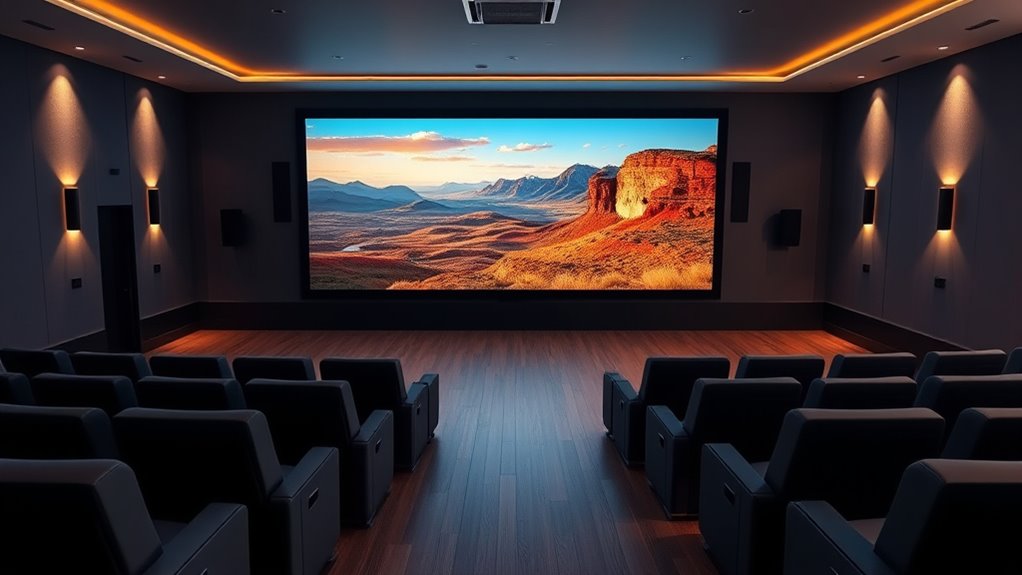

A 4K projector for home theater needs to balance image detail, brightness, room fit, and setup ease—not just list a 4K label. My best overall pick is the Epson Home Cinema 3800, whose 3-chip 3LCD design and 4K PRO-UHD approach make it the strongest home-cinema-focused choice in this lineup. The Epson Home Cinema 2350 is a more approachable smart option, while the ViewSonic PX701-4K suits viewers who put gaming responsiveness and bright-room flexibility high on the list. The main tradeoffs are native versus pixel-shifted resolution, light output versus dark-room contrast, and built-in streaming convenience versus dedicated theater performance. Read on for the full comparison and advice on matching a projector to your room.

Get kitchen staples and gadgets delivered free with Prime
- Fast, free delivery on millions of items
- Prime Video, Amazon Music and more included
- Member-only deals all year
Key Takeaways
- The Epson Home Cinema 3800 leads for dedicated theater use: its 3-chip 3LCD platform gives it a clearer home-cinema role than the outdoor-oriented smart models.
- “4K” does not mean the same thing across this lineup: the Epson models and ViewSonic advertise 4K enhancement or UHD output, while some smart projectors list 4K support without stating native 4K resolution.
- Room conditions change which specs matter most: the ViewSonic’s 3200 lumens and 240Hz gaming feature favor flexible use, while a light-controlled theater can prioritize image quality over headline brightness.
- Smart features are not a substitute for theater performance: Google TV, VIDAA, and built-in apps simplify streaming, but the listed outdoor models vary widely in brightness and resolution claims.
- Short throw and standard throw solve different room problems: the GO2 Upgrade is positioned for short-throw placement, while conventional projector choices need suitable throw distance and mounting space.



| 4k projector for home theater | Brightness | Audio | Native resolution | Resolution |
|---|---|---|---|---|
| Smart 4K Projector with Google | 3000 ANSI lumens | — | 1920 × 1080 | — |
| GO2 Upgrade 4K Short Throw Pro | 5000 ANSI lumens | 65W stereo speakers with Dolby Audio | — | Listed as 4K; native resolution not specified |
| Smart Outdoor Projector with 4 | 600 ANSI lumens | Dual 10W speakers with Dolby Audio | 1080p | — |
| VOPLLS G7 4K Outdoor Projector | — | 16W dual Dolby Audio with DSP | 1920 × 1080 | — |
| ViewSonic PX701-4K UHD Project | 3200 lumens | — | 3840 × 2160 | — |
| Epson Home Cinema 3800 4K PRO- | 3,000 lumens | Built-in dual 10 W stereo speakers | — | 3840 x 2160 (4K PRO-UHD) |
| 4K Smart Projector with VIDAA | 550 ANSI lumens | Dolby Audio and DTS Audio | 1920 x 1080 | — |
| WIMIUS K14 Outdoor Projector w | 1450 ISO ANSI lumens | Dolby Audio, dual 30 W speakers | — | Native 1080p with 4K decoding |
| Epson Home Cinema 2350 4K PRO- | 2,800 lumens | — | — | 3840 x 2160 (4K PRO-UHD) |
| X9 PRO 4K Smart Projector with | 920 ISO lumens | Dual 20 W speakers with Dolby Audio | — | Native 1080p with 4K decoding |
More Details on Our Top Picks
Smart 4K Projector with Google TV Stick, WiFi & Bluetooth, 3000 ANSI Lumens, Auto Focus, Auto Lens Cover, Portable Outdoor Movie Projector
I’d choose this model for flexible movie nights where quick setup and streaming access matter more than true 4K detail. Its native 1080p resolution accepts 4K content, but it does not display it at 4K; the ViewSonic PX701-4K is the clearer choice when native UHD is the priority. The included Google TV Stick, auto focus, keystone correction, and rotating stand make it easier to move between rooms or set up outdoors without much adjustment. The listed 3000 ANSI lumens may help in a dim room, though the product data still recommends dark conditions for best viewing. Compared with the VOPLLS G7, this option relies on an included streaming stick rather than built-in Google TV, and it has no stated short-throw ratio. Its portability comes with a bulky-design tradeoff for cramped rooms.
Pros:- Includes a Google TV Stick for access to supported streaming apps.
- Auto focus and keystone correction reduce manual setup work.
- Rotating stand supports flexible placement indoors or outdoors.
- Lists 3000 ANSI lumens, with a two-year warranty.
Cons:- Native resolution is 1080p, so 4K content is decoded rather than displayed in native 4K.
- Best viewing requires a dark environment.
- The product is described as potentially bulky for small spaces.
Best for: Buyers who want a portable projector for dark-room movie nights and occasional outdoor use, with Google TV streaming and automatic setup.
Not ideal for: Home theater buyers who require native 4K detail, or viewers who need a compact unit for a small room.
- Native resolution:1920 × 1080
- 4K support:4K decoding
- Display type:LED
- Brightness:3000 ANSI lumens
- Streaming:Google TV Stick included
- Wireless connectivity:Wi-Fi 6; Bluetooth 5.2
- Setup features:Auto focus; keystone correction; rotating stand
- Warranty:2 years
Our verdict“Choose it for portable, easy-to-stream 1080p viewing, but pick the ViewSonic PX701-4K if native 4K resolution matters more.”
GO2 Upgrade 4K Short Throw Projector with VIDAA OS, 5000 ANSI Lumens, 65W Dolby Audio, WiFi, Bluetooth, Auto Focus, and Voice Control
The GO2’s strongest case is its combination of short-throw placement and substantial built-in audio. A 1:1 throw ratio is listed, with the product data stating that it can make a 100-inch image from 8 feet; that suits a room where the projector cannot sit far behind the seating. Its 65W Dolby Audio speakers also reduce the need to add a sound system right away, unlike the Smart Outdoor Projector with 4K Support, whose audio may need external speakers for a stronger theater effect. The listing calls this a 4K projector, while the provided specs do not clarify native resolution, so buyers seeking verified native UHD should check that detail before choosing it over the ViewSonic PX701-4K. VIDAA supplies major apps, but may not cover every niche service.
Pros:- 1:1 short-throw ratio supports large images from a relatively close position.
- 65W stereo speakers with Dolby Audio can reduce the need for separate speakers.
- VIDAA provides access to listed major streaming apps and live TV channels.
- Auto focus and a 360-degree rotatable stand offer flexible setup.
Cons:- The supplied specs do not state whether the listed 4K resolution is native.
- The description says it is not suitable for brightly lit rooms despite the stated brightness.
- VIDAA may lack some niche apps available on other platforms.
Best for: Viewers with limited projector throw distance who want a large image, strong built-in audio, and mainstream streaming apps.
Not ideal for: Buyers who need confirmed native 4K specifications, a specific niche streaming app, or dependable viewing in a brightly lit room.
- Resolution:Listed as 4K; native resolution not specified
- Brightness:5000 ANSI lumens
- Throw ratio:1:1 short throw
- Audio:65W stereo speakers with Dolby Audio
- Operating system:VIDAA
- Contrast ratio:50,000:1
- Connections:2 × HDMI 2.1, 2 × USB, AV, 3.5 mm, Wi-Fi, Bluetooth
- Screen size range:50–500 inches
Our verdict“Pick the GO2 for close placement and built-in sound, but verify its native resolution if sharp 4K detail is your main requirement.”
Smart Outdoor Projector with 4K Support, WiFi, Bluetooth, and Built-in Apps
This P62 Pro makes more sense as an affordable-feature-style outdoor movie option than as a dedicated 4K home theater projector: its native resolution is 1080p, and its 600 ANSI lumens point toward dark viewing conditions. It accepts 4K content and adds HDR10, built-in Prime Video and YouTube, plus auto focus and keystone correction, giving casual viewers a straightforward setup without a separate streaming device. The GO2 offers a much brighter stated output and more powerful built-in audio, while the P62 Pro’s dual 10W speakers are a more modest starting point. For a theater room where image scale, light handling, and sound carry more weight, the ViewSonic PX701-4K has native UHD and a higher listed brightness. This model’s appeal is its app-and-connection mix, not 4K resolution.
Pros:- Built-in Prime Video, YouTube, and an app store support streaming without an external device.
- Auto focus and automatic keystone correction simplify positioning.
- Wi-Fi 6, Bluetooth 5.2, two HDMI ports, and two USB ports offer flexible connections.
- HDR10 support and AirPlay and Miracast compatibility are included.
Cons:- Native resolution is 1080p, even when playing supported 4K content.
- 600 ANSI lumens make dark-room use the better fit.
- Dual 10W speakers may not satisfy buyers seeking fuller home theater sound.
Best for: Casual viewers who want built-in streaming and simple setup for outdoor films or dark-room viewing, and are content with 1080p.
Not ideal for: Buyers building a dedicated 4K theater, watching with ambient light, or expecting powerful projector-only audio.
- Native resolution:1080p
- 4K support:Yes
- Brightness:600 ANSI lumens
- HDR:HDR10
- Audio:Dual 10W speakers with Dolby Audio
- Built-in apps:Prime Video, YouTube, App Store
- Wireless connectivity:Wi-Fi 6; Bluetooth 5.2
- Connections and casting:2 × HDMI, 2 × USB, AirPlay, Miracast
Our verdict“Choose the P62 Pro for simple, dark-room outdoor streaming, not for native 4K resolution or a high-impact theater setup.”
VOPLLS G7 4K Outdoor Projector with Google TV, WiFi 6, and Bluetooth
The VOPLLS G7 is a convenient pick for a compact setup because Google TV is built in and its 1.24:1 throw ratio is listed to produce a 100-inch image from 9 feet. AI auto focus and 6D keystone correction can ease placement in rooms where the projector has to move or sit off-center. It compares favorably with the first Smart 4K Projector, which includes a Google TV Stick rather than integrating the platform, but both are native 1080p despite accepting 4K input. The G7’s 16W Dolby Audio is a step above basic projector speakers, though it cannot match the GO2’s stated 65W output. The bigger limitation is that no absolute brightness figure is supplied, making it harder to judge against the ViewSonic PX701-4K for a fixed theater room.
Pros:- Built-in Google TV provides streaming without a separate stick.
- Short-throw ratio is specified for a 100-inch image at 9 feet.
- AI auto focus and 6D keystone correction support easier setup.
- Includes HDR10+, Wi-Fi 6, Bluetooth 5.2, and a three-year warranty.
Cons:- Native resolution is 1920 × 1080 rather than 4K.
- No absolute brightness figure is provided in the supplied product data.
- 16W speakers are less powerful than the GO2’s listed 65W audio system.
Best for: Buyers who want built-in Google TV, automatic image adjustment, and a short-throw design for a compact or flexible viewing space.
Not ideal for: Viewers who need verified native 4K, a stated brightness figure for room planning, or the strongest built-in sound.
- Native resolution:1920 × 1080
- 4K support:Supports 3840 × 2160 input
- Throw ratio:1.24:1
- Streaming platform:Google TV
- Audio:16W dual Dolby Audio with DSP
- Image adjustment:AI auto focus; 6D keystone
- Wireless connectivity:Wi-Fi 6; Bluetooth 5.2
- Warranty:3 years
Our verdict“Pick the G7 for an easy, short-throw Google TV setup, but choose the ViewSonic PX701-4K if native UHD and a stated brightness figure matter more.”
ViewSonic PX701-4K UHD Projector, 3200 Lumens, 240Hz HDR, Auto Keystone DLP
Among these five, the ViewSonic PX701-4K is the clearest fit for buyers who put native 4K resolution ahead of built-in streaming convenience. Its 3840 × 2160 display and 3200-lumen rating make it more directly suited to detailed movie viewing than the four models with 1080p native resolution. The 240Hz refresh rate also gives it a gaming role that the portable smart models do not emphasize. That focus has costs: it is a stationary projector with HDMI and USB listed for connections, and the supplied data does not include a built-in streaming platform or a short-throw ratio. The VOPLLS G7 is easier to place in a compact room and comes with Google TV, but it cannot match the ViewSonic’s stated native resolution. Plan the installation around a fixed position or ceiling mount.
Pros:- Native 3840 × 2160 resolution provides true UHD display resolution among these picks.
- 240Hz refresh rate suits gaming as well as movie viewing.
- 3200-lumen brightness and HDR support are specified.
- Auto keystone and four-corner adjustment offer image-positioning flexibility.
Cons:- Stationary form factor is less convenient for moving between rooms or outdoor use.
- The supplied connectivity list is limited to HDMI and USB, with no built-in streaming platform specified.
- The product data describes ceiling mounting as the optimal setup.
Best for: Home theater and gaming buyers who want native UHD, HDR, high refresh-rate support, and can plan for a stationary installation.
Not ideal for: Viewers who need an all-in-one streaming projector, a portable unit, or a confirmed short-throw setup for a small room.
- Native resolution:3840 × 2160
- Display type:DLP
- Brightness:3200 lumens
- Refresh rate:240Hz
- HDR:Supported
- Contrast ratio:12,000:1
- Maximum image size:300 inches
- Connections:HDMI; USB
Our verdict“Choose the PX701-4K when native 4K and gaming performance outrank portability, short-throw placement, and integrated streaming.”
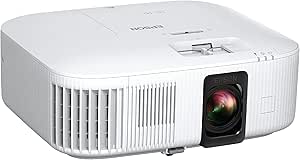
Epson Home Cinema 3800 4K PRO-UHD 3-Chip 3LCD Projector
The Home Cinema 3800 is the strongest fit here for a dedicated screen or living room where a bright, colorful image matters more than built-in streaming. Its 3,000-lumen output and three-chip 3LCD system make it a more compelling choice for mixed-light viewing than the Epson Home Cinema 2350, while the lens shift gives you more flexibility to place the projector without relying on keystone correction. Its 4K PRO-UHD presentation, HDR support, and HDMI 2.0 also suit movie nights and 4K gaming at up to 60 fps. The tradeoff is a lamp-based design that can need replacement bulbs, plus no smart TV platform, so streaming requires an external device. Choose it over the app-focused options when image brightness, color, and placement flexibility lead your priorities.
Pros:- 3,000 lumens help maintain a vivid picture in rooms with some ambient light.
- Three-chip 3LCD design avoids rainbow artifacts and supports color-rich images.
- Vertical and horizontal lens shift ease placement in a dedicated theater setup.
- HDMI 2.0 supports 4K HDR gaming at up to 60 fps.
Cons:- Lamp-based light source may require periodic bulb replacement.
- No built-in smart streaming platform; an external streaming device is needed.
- 4K PRO-UHD is not a native 4K panel.
Best for: Home theater buyers who want a bright 4K-enhanced image, accurate color, and lens-shift flexibility for a permanent or semi-permanent setup.
Not ideal for: Buyers seeking a projector with built-in streaming apps, a compact casual setup, or a native 4K imaging panel.
- Resolution:3840 x 2160 (4K PRO-UHD)
- Brightness:3,000 lumens
- Contrast ratio:100,000:1
- Display technology:3-chip 3LCD
- HDR support:Full 10-bit HDR
- Connectivity:HDMI 2.0 (18 Gbps), Bluetooth
- Lens features:Precision glass lens with vertical and horizontal lens shift
- Audio:Built-in dual 10 W stereo speakers
Our verdict“Pick the Home Cinema 3800 if bright, color-accurate projection and flexible lens placement matter more than integrated streaming.”
4K Smart Projector with VIDAA OS, WiFi 6, Bluetooth 5.4, Dolby Audio, and AI Auto Focus
This VIDAA model suits buyers who want a projector that can start streaming with minimal setup rather than a true 4K-resolution display. Its native 1080p resolution decodes 4K content, but it does not show the fine detail of a 4K panel or the 4K PRO-UHD Epson Home Cinema 2350. Where it earns its place is convenience: VIDAA provides built-in apps, and AI autofocus, keystone correction, and obstacle avoidance can shorten setup when the projector moves between rooms. The 550 ANSI-lumen rating is the main constraint; it is better matched to a dim room than a bright living space, and the stated throw range may limit placement in larger rooms. Choose it for streaming and automated setup, not as a substitute for a brighter, higher-resolution theater projector.
Pros:- VIDAA OS provides built-in access to streaming apps and live channels.
- AI autofocus and keystone tools simplify initial setup and repositioning.
- WiFi 6, Bluetooth 5.4, and HDMI 2.1 provide modern connectivity options.
- Dolby and DTS audio support offer convenient built-in sound.
Cons:- Native resolution is 1080p; 4K is decoded rather than displayed natively.
- 550 ANSI lumens are better suited to darkened rooms than daytime viewing.
- Listed throw distance ends at 16.4 feet, which can restrict placement in larger rooms.
Best for: Casual movie and streaming viewers who want built-in apps and automatic image setup in a dim room.
Not ideal for: Dedicated home theater buyers prioritizing true 4K detail, bright-room viewing, or flexible placement across a large room.
- Native resolution:1920 x 1080
- Maximum decoded resolution:3840 x 2160
- Brightness:550 ANSI lumens
- Operating system:VIDAA OS
- Connectivity:WiFi 6, Bluetooth 5.4, HDMI 2.1 (CEC/ARC), 3.5 mm jack
- Audio:Dolby Audio and DTS Audio
- Throw distance:4.5–16.4 feet
- Noise level:28 dB
Our verdict“Choose this model for straightforward app-based viewing and auto-setup in a dark room, but skip it if 4K image detail or high brightness is a priority.”
WIMIUS K14 Outdoor Projector with VIDAA Smart OS, 1450 ISO ANSI Lumens, Native 1080P, Dolby Audio, WiFi 6 & Bluetooth 5.4
The WIMIUS K14 is the most adaptable pick here for moving between an indoor screen and an outdoor movie setup. Its 1450 ISO ANSI lumens give it more brightness headroom than the 550-lumen VIDAA projector in this roundup, while its rotating stand and automatic focus make repositioning less of a chore. Built-in VIDAA apps and 60 W Dolby Audio speakers also reduce the gear needed for a casual backyard screening. The central compromise is resolution: this is native 1080p with 4K decoding, not a 4K projector in the panel-detail sense. It also remains less suited to bright daytime viewing than a higher-output option such as the Epson Home Cinema 3800. Choose it for flexible placement, integrated entertainment, and evening use—not for a high-detail, light-controlled theater image.
Pros:- 1450 ISO ANSI lumens provide more brightness than the 550-lumen VIDAA model.
- VIDAA OS offers direct access to supported streaming services.
- Rotating stand and AI auto-focus make placement and repositioning easier.
- Dual 30 W speakers provide substantial built-in audio for casual viewing.
Cons:- Native resolution is 1080p, with 4K content decoded rather than shown at native 4K.
- Brightness is still limited for outdoor use before dark or in a brightly lit room.
- Hulu is not a standalone app and must be accessed through Disney+.
Best for: Buyers who want one projector for evening backyard screenings and flexible indoor use, with apps and sound built in.
Not ideal for: Home theater enthusiasts seeking native 4K detail, daytime outdoor viewing, or a dedicated dark-room projector with lens shift.
- Brightness:1450 ISO ANSI lumens
- Resolution:Native 1080p with 4K decoding
- Operating system:VIDAA Smart OS
- Audio:Dolby Audio, dual 30 W speakers
- Connectivity:WiFi 6, Bluetooth 5.4, HDMI 2.1, AirPlay
- Setup features:AI auto-focus, 6D keystone, obstacle avoidance
- Stand:Rotating stand
- Input lag:Less than 30 ms
Our verdict“Pick the K14 for flexible evening viewing with integrated apps and strong built-in sound, not for native 4K home theater detail.”
Epson Home Cinema 2350 4K PRO-UHD Smart Streaming Projector with Android TV
The Home Cinema 2350 is the more convenient Epson for buyers who want 4K-enhanced projection and built-in Android TV in the same unit. Compared with the Home Cinema 3800, it trades some brightness—2,800 lumens versus 3,000—for integrated streaming and a simpler tabletop setup. True three-chip 3LCD keeps color reproduction free of rainbow artifacts, while the under-20-ms input lag makes gaming more responsive than the WIMIUS K14’s listed under-30-ms figure. Vertical lens shift also helps with placement, though it is not the broad horizontal-and-vertical adjustment offered by the 3800. Its pixel-shifted 4K PRO-UHD is not native 4K, and Bluetooth audio is limited to Android TV content rather than HDMI sources. It is a strong all-in-one choice, provided those limits match your setup.
Pros:- Android TV supplies integrated access to major streaming services.
- 2,800 lumens suit a range of home viewing conditions.
- Three-chip 3LCD supports accurate color without rainbow artifacts.
- Under-20-ms input lag is a useful advantage for gaming.
Cons:- 4K PRO-UHD uses pixel shifting rather than a native 4K panel.
- Bluetooth audio is limited to content played through Android TV.
- Vertical lens shift offers less placement flexibility than the Home Cinema 3800’s vertical and horizontal shift.
Best for: Streamers and console gamers who want an Epson 3LCD projector with built-in Android TV and responsive input lag.
Not ideal for: Buyers who need native 4K, broad lens-shift adjustment, or Bluetooth audio from every connected source.
- Resolution:3840 x 2160 (4K PRO-UHD)
- Brightness:2,800 lumens
- Display technology:True 3-chip 3LCD
- HDR support:HDR10, HLG
- Input lag:Under 20 ms
- Smart platform:Android TV
- Connectivity:HDMI, WiFi, Bluetooth
- Speaker:10 W bass-reflex
Our verdict“Choose the Home Cinema 2350 if you want bright 4K-enhanced viewing, built-in streaming, and low-latency gaming in one projector.”
X9 PRO 4K Smart Projector with VIDAA OS, 920 ISO Lumens, Dolby Audio, and AI Auto Focus
The X9 PRO puts streaming convenience ahead of theater-grade resolution and brightness. Its VIDAA OS, AirPlay 2, and HomeKit support make it a useful fit for households that want to cast or stream without adding a separate device, while autofocus, keystone correction, and obstacle avoidance ease setup. The 40 W Dolby Audio system is also a practical step up from relying on a small portable speaker. But its native resolution is 1080p, and the 920 ISO-lumen rating makes a darkened room a better match than a bright living room. Compared with the WIMIUS K14, it gives up some listed brightness, though it adds HomeKit support and a longer warranty. I would choose it for app-led casual viewing, not for the fine detail or light output of the Epson Home Cinema 3800.
Pros:- VIDAA OS includes access to Netflix, YouTube, and live TV channels.
- AirPlay 2 and HomeKit support suit compatible Apple and smart-home setups.
- 40 W Dolby Audio speakers can reduce the need for separate sound equipment.
- AI focus, keystone correction, and obstacle avoidance simplify setup.
Cons:- Native resolution is 1080p; 4K content is decoded rather than displayed at native 4K.
- 920 ISO lumens are better suited to a dark room than a fully lit space.
- Built-in speakers may not replace a dedicated home theater sound system.
Best for: Smart-home users who want built-in VIDAA streaming, AirPlay 2, and HomeKit in a projector for dark-room movie nights.
Not ideal for: Buyers who prioritize native 4K detail, bright-room performance, or a dedicated high-output home theater projector.
- Resolution:Native 1080p with 4K decoding
- Brightness:920 ISO lumens
- Operating system:VIDAA OS
- Audio:Dual 20 W speakers with Dolby Audio
- Connectivity:WiFi 6, Bluetooth 5.4, HDMI ARC/CEC, USB, 3.5 mm jack
- Smart features:AirPlay 2, HomeKit
- Setup features:AI auto-focus, 6D keystone, obstacle avoidance
- Warranty:3 years
Our verdict“Choose the X9 PRO for convenient smart streaming and casting in a dim room, but pick an Epson if resolution and brightness matter more.”

How We Picked
I ranked these projectors for home theater usefulness, not by the number of smart features or the presence of “4K” in a product name. The main criteria were the stated resolution approach, brightness information, image technology, HDR and gaming support, setup tools, sound and streaming features, and how clearly each model fits a dedicated room or a flexible multipurpose space. A feature only raised a model’s standing when it offered a practical benefit for movie viewing, room placement, or everyday use.
The Epson Home Cinema 3800 ranks first because its 3-chip 3LCD system and 4K PRO-UHD positioning make it the most clearly theater-oriented model here. The ViewSonic and Epson 2350 follow for their distinct strengths in gaming and smart streaming, while the remaining options rank lower when their listings emphasize outdoor portability, built-in apps, or 4K support without clearly establishing comparable resolution or theater-focused performance. Some specifications are absent or use different measurement labels, so I avoid treating unlike figures as directly equivalent.
| 4k projector for home theater | Connectivity |
|---|---|
| Smart 4K Projector with Google | — |
| GO2 Upgrade 4K Short Throw Pro | — |
| Smart Outdoor Projector with 4 | — |
| VOPLLS G7 4K Outdoor Projector | — |
| ViewSonic PX701-4K UHD Project | — |
| Epson Home Cinema 3800 4K PRO- | HDMI 2.0 (18 Gbps), Bluetooth |
| 4K Smart Projector with VIDAA | WiFi 6, Bluetooth 5.4, HDMI 2.1 (CEC/ARC), 3.5 mm jack |
| WIMIUS K14 Outdoor Projector w | WiFi 6, Bluetooth 5.4, HDMI 2.1, AirPlay |
| Epson Home Cinema 2350 4K PRO- | HDMI, WiFi, Bluetooth |
| X9 PRO 4K Smart Projector with | WiFi 6, Bluetooth 5.4, HDMI ARC/CEC, USB, 3.5 mm jack |
Factors to Consider When Choosing 4k Projector For Home Theater
Choosing a projector for a theater room starts with the room and the way you watch, not the biggest number on a product page. These factors help separate genuine image priorities from convenience features that may matter less once the lights go down.
Check What the 4K Claim Means
Projector listings may use “4K” for native 4K imaging, pixel-shifted 4K enhancement, or compatibility with a 4K input. Those descriptions do not promise identical on-screen detail, so check the manufacturer’s precise resolution wording before comparing models. A projector that accepts a 4K signal may still display at a lower native resolution. For a large screen viewed from nearby, resolution differences can be easier to spot than they are in a smaller room. Avoid choosing by the badge alone; compare the imaging method, supported HDR formats, and the picture quality you can expect at your planned screen size.
Match Brightness to Your Light and Screen
Brightness needs depend on whether the room can be darkened, how large the image will be, and whether you watch during the day. In a dedicated theater, ambient light control can matter more than chasing the highest lumen claim. In a living room, daylight and lamps can wash out dark scenes even when a projector’s advertised brightness looks high. Manufacturer figures may use different testing standards, so lumens and ISO-lumen values should not be compared as though they were measured identically. A common mistake is to buy a very bright model for a dark room without checking whether its image characteristics suit movie viewing. Consider the screen material and size alongside the projector.
Measure Throw Distance Before Buying
Throw distance determines whether a projector can create your desired image from the shelf or ceiling mount available. Short-throw designs can work in shallow rooms, but they need careful placement and a suitable surface; standard-throw models may be easier to position in a deeper room. Use the manufacturer’s throw calculator for your target screen size rather than relying on a generic room-size rule. Account for the projector’s body, cables, ventilation clearance, and any mount when measuring. Digital keystone correction can rescue a difficult setup, but heavy correction may reduce usable image detail. Confirm placement before choosing a screen or drilling a mount.
Decide How Much Streaming Convenience You Need
Built-in Google TV, VIDAA, or Android TV can reduce the need for a separate streaming box and make casual viewing simpler. App availability, account support, software updates, and wireless reliability still vary, so check that your preferred services work on the platform. A dedicated external streamer may be a better long-term choice if you already use one or want more consistent app support. Wi-Fi and Bluetooth can make a projector easier to place, but they do not improve the projected image itself. Do not let a long list of built-in apps outweigh weak information about resolution, brightness, or room fit. Treat smart features as a convenience, not proof of theater-grade performance.
Plan for Sound, Gaming, and Long Sessions
Built-in speakers can handle setup and occasional viewing, but a separate sound system usually brings more convincing dialogue and cinematic impact. Check available audio outputs and wireless options before assuming a projector will fit your existing receiver or soundbar. Gamers should look beyond a high refresh-rate claim and check supported resolution, input lag, and which signal formats work together. Features such as the ViewSonic’s stated 240Hz support may appeal to fast gaming, but they are not the main measure of movie performance. For long viewing sessions, also consider fan noise, lamp or light-source maintenance, and access to replacement parts. These practical details can shape daily satisfaction more than a small specification advantage.
Frequently Asked Questions
Does a projector that supports 4K show native 4K resolution?
No. “4K support” can mean that a projector accepts a 4K source, while its imaging hardware displays at a lower native resolution. Other models use pixel shifting to create a denser image than a standard 1080p projector, without using a native 4K panel. Check the exact resolution and imaging method in the manufacturer’s specifications. In this lineup, some product titles describe 4K support but do not establish native 4K resolution, so I would not treat every 4K label as equivalent.
Should I choose a smart projector or connect my own streaming device?
Built-in streaming is handy when you want fewer boxes and cables, particularly in a multipurpose room. An external streamer can make more sense if you already own one, depend on particular apps, or want to replace the streaming platform without replacing the projector. A smart operating system does not guarantee better image quality, and wireless performance can depend on your home network and the projector’s placement. Check app support and available connections before making the choice. For a dedicated theater, I would weigh the projector’s image and setup characteristics ahead of the convenience of built-in apps.
Can I use an outdoor projector as my main home theater projector?
You can, but “outdoor” describes a use case rather than a guarantee of strong theater performance. Some models prioritize portability, built-in apps, or easy setup, while their listed resolution and brightness may not match the needs of a large indoor screen. Outdoor viewing often involves casual use and changing light, whereas movie rooms benefit from predictable placement and carefully controlled image quality. Compare the specific resolution claims, brightness measurement, and throw requirements rather than relying on the outdoor label. For regular theater use, a model designed around home cinema is usually a more direct fit.
Is a short-throw projector the best choice for a small room?
It can be a good solution when the projector must sit close to the screen, but short throw is not automatically best for every small room. The required distance changes with screen size, and a short-throw image can be sensitive to placement and screen flatness. Check the throw ratio or manufacturer calculator for your exact setup before buying. Also account for furniture, people walking between the projector and screen, and the location of power and video cables. If a conventional model fits the room, it may offer more placement flexibility or a better match for your viewing priorities.
What matters more for movies: higher brightness or better room control?
For a dedicated theater, controlling stray light often makes a larger difference to perceived contrast than choosing a projector solely for a higher brightness figure. Brightness becomes more important with a larger screen or a room that cannot be darkened, but extra light output alone does not guarantee rich dark scenes. Manufacturer brightness measurements can also use different methods, so compare figures cautiously. Think about your usual viewing time, window coverings, screen size, and whether you watch with lights on. If you can darken the room, prioritize a balanced theater image; if you cannot, give brightness and ambient-light management more weight.
Conclusion
For a dedicated home theater, my overall recommendation is the Epson Home Cinema 3800, thanks to its 3-chip 3LCD design and theater-focused 4K PRO-UHD positioning. The best value in this lineup is the ViewSonic PX701-4K for buyers who want a clearly stated 4K UHD model with gaming-oriented features and useful brightness, though its strengths are not a substitute for every movie-room priority. For a premium home-cinema direction, the Epson 3800 is also the strongest fit among these options; the product list does not provide enough comparative detail to claim a separate luxury-class winner. Beginners who want streaming built in should look first at the Epson Home Cinema 2350, while buyers with shallow placement space can investigate the GO2 Upgrade short-throw model after confirming throw distance and resolution details. If portability and outdoor-style smart features matter more than dedicated theater performance, compare the VOPLLS, WIMIUS, and other smart models closely—but verify their brightness and resolution claims before choosing one as your main projector.
Halloween Picks
halloween
As an affiliate, we earn on qualifying purchases.